Sep
audio and video taken apart on the device itself
Remove noise, separate voices, cut one speaker out, mix music with video, add keyframed titles on top and edit the result — with no server and no internet. Not web and not a console: our own Rust engine and an app for Mac and Android.
A recording where three people talk and you need one. A clip with road noise. Music that has to go under a video. Usually that is three different services, and each wants the file uploaded.
We wanted one app that does all of it on the device itself: the recording goes nowhere, and no connection is needed. The other half of the task was to test ourselves outside the familiar: not a website and not a back office, but signal processing, neural nets and video on a phone.
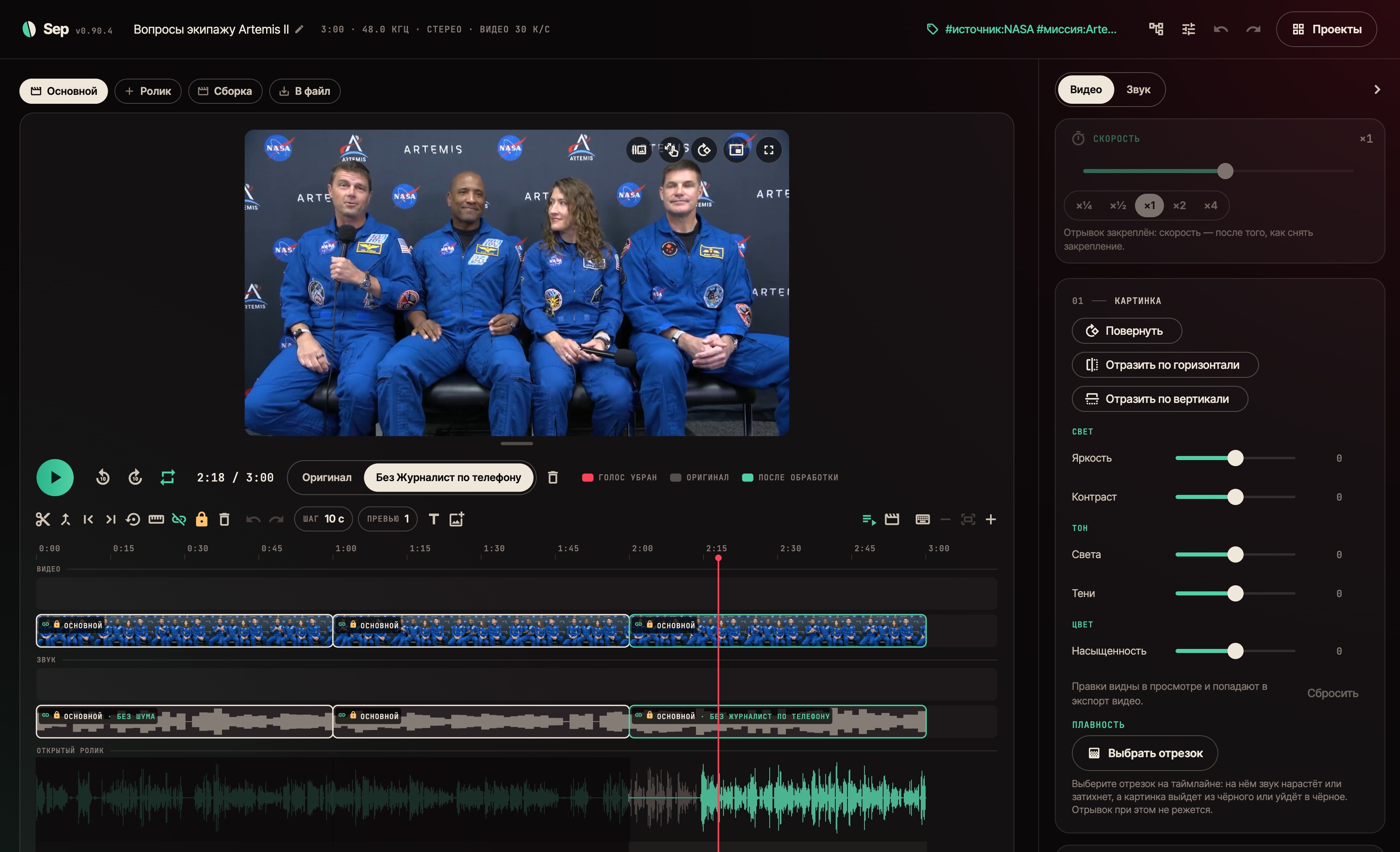
The app finds the people in a recording and shows who speaks when. Then you choose: remove noise, split voice from background, or remove one speaker entirely. Where people talk over each other, the voices are separated first and only the unwanted one goes.
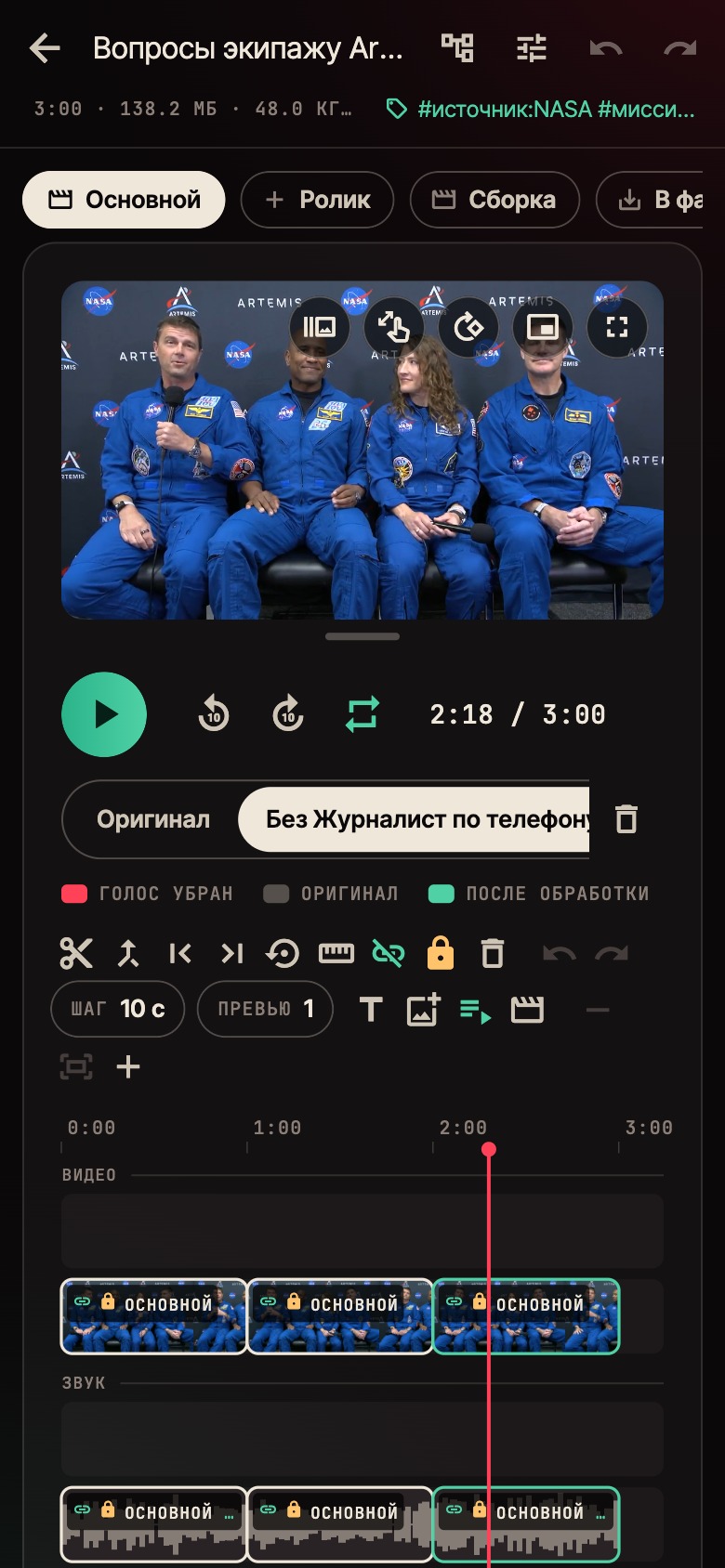
Processing belongs to a piece on the timeline, not to the whole clip. Cut a recording and one part loses its noise, another loses a voice, a third stays as recorded. The engine works on the selected range only, not on the whole file.
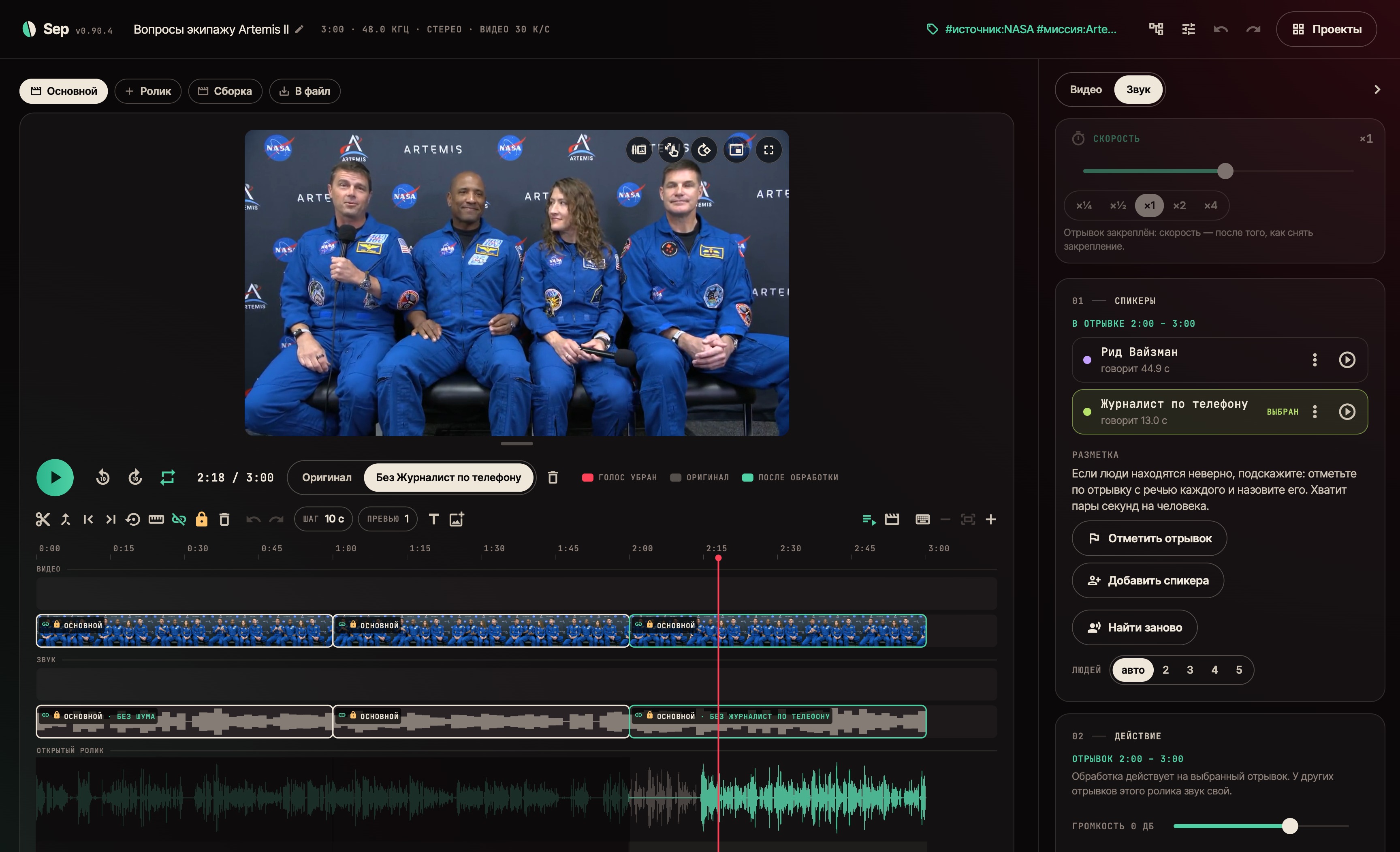
You can give hints: mark a couple of seconds of speech and name the person. People found in different pieces are matched by voice, so the same person keeps one name across the project instead of a new number in every piece.
Clips and audio sit on a shared timeline: cut them, join them, stack them. Drop a file on the window and it lands at the playhead. Nothing trimmed is lost: the source is kept and the cut part can be brought back.
Everything under the playhead sounds at once: music under video, a second voice, as many tracks as you like — with no render step. The finished clip contains exactly what you hear.
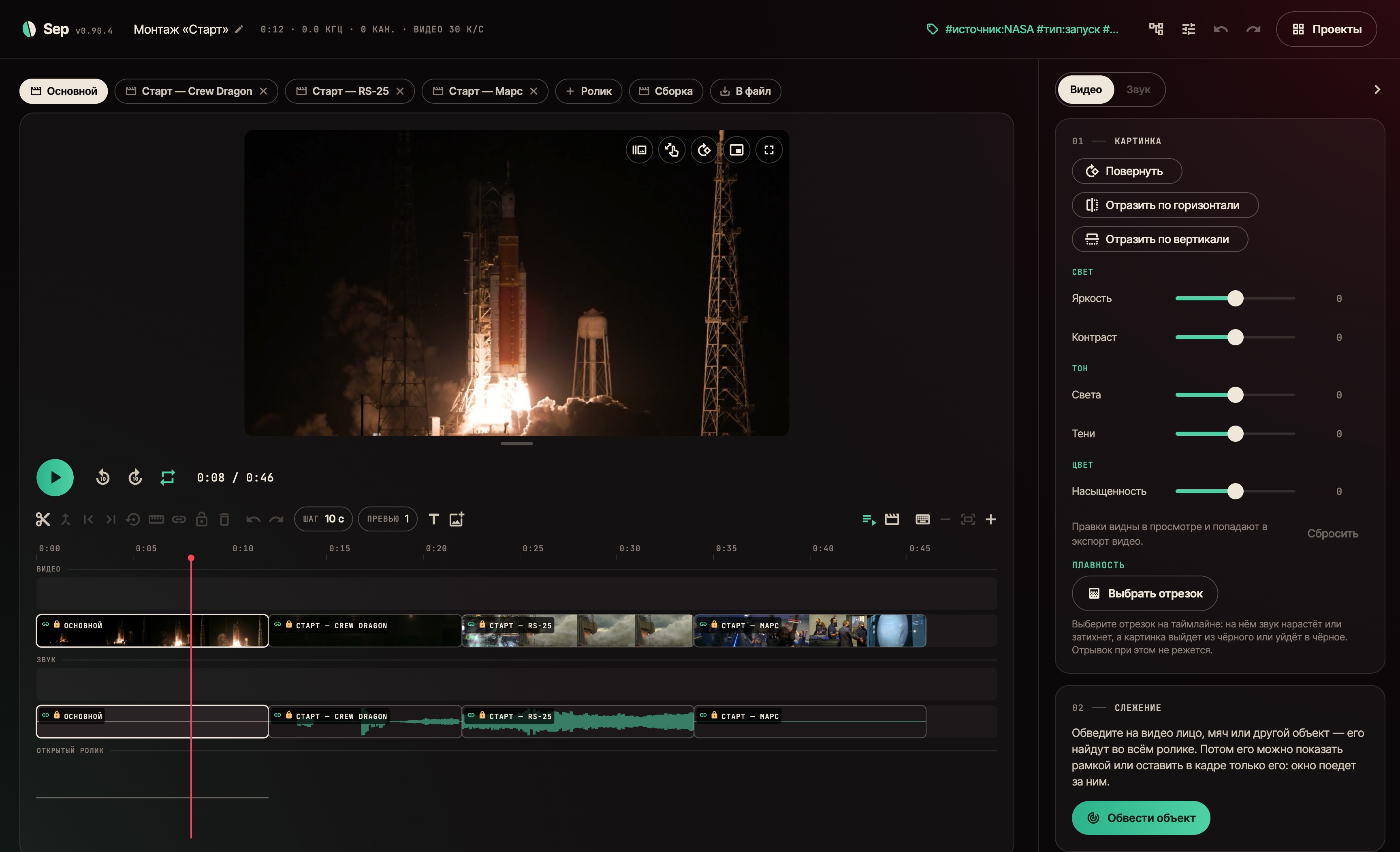
The Video tab holds the picture: rotation, colour, subject tracking. Mark a subject on one frame and the app follows it through the clip and keeps the frame on it, even when it is briefly hidden.
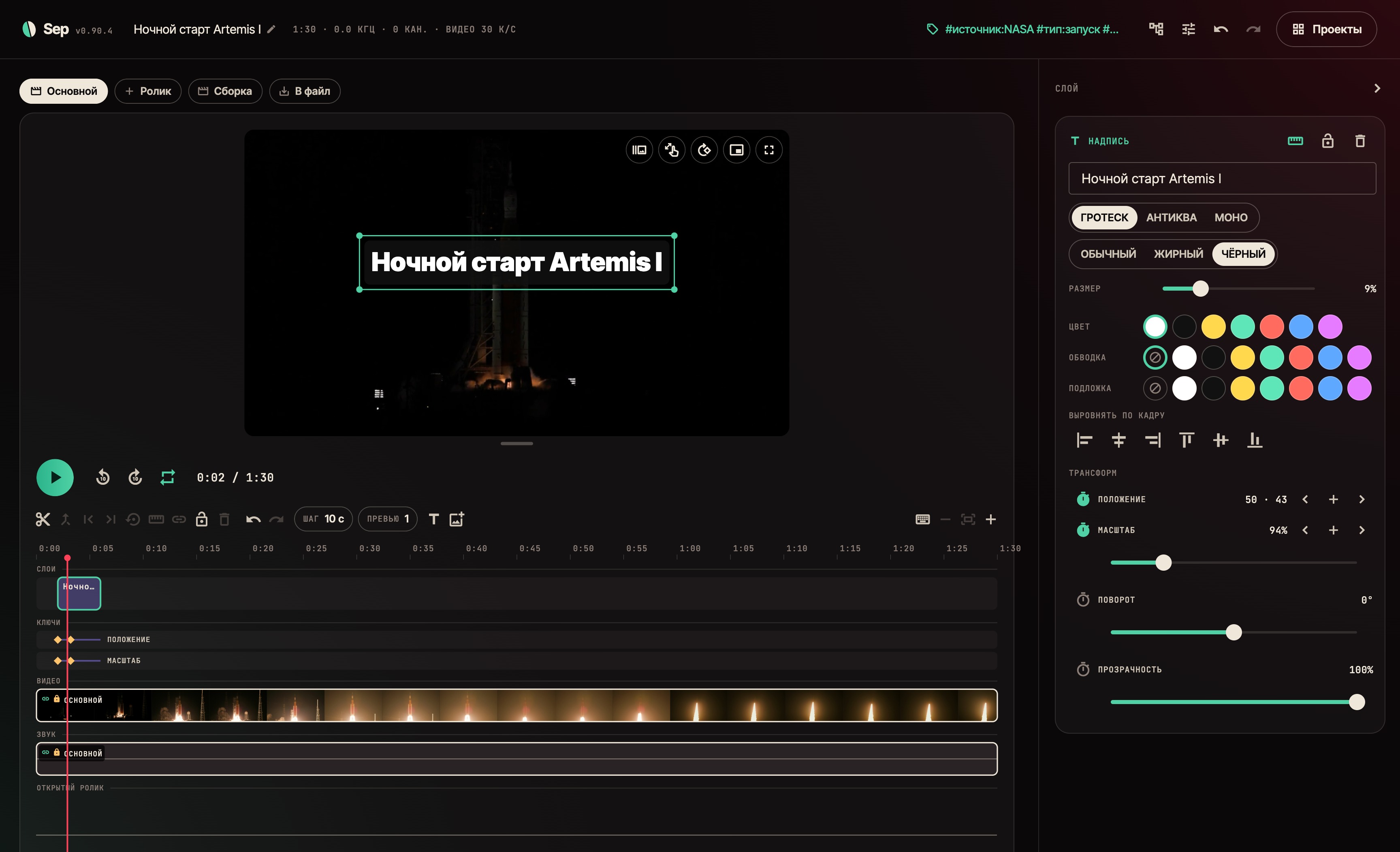
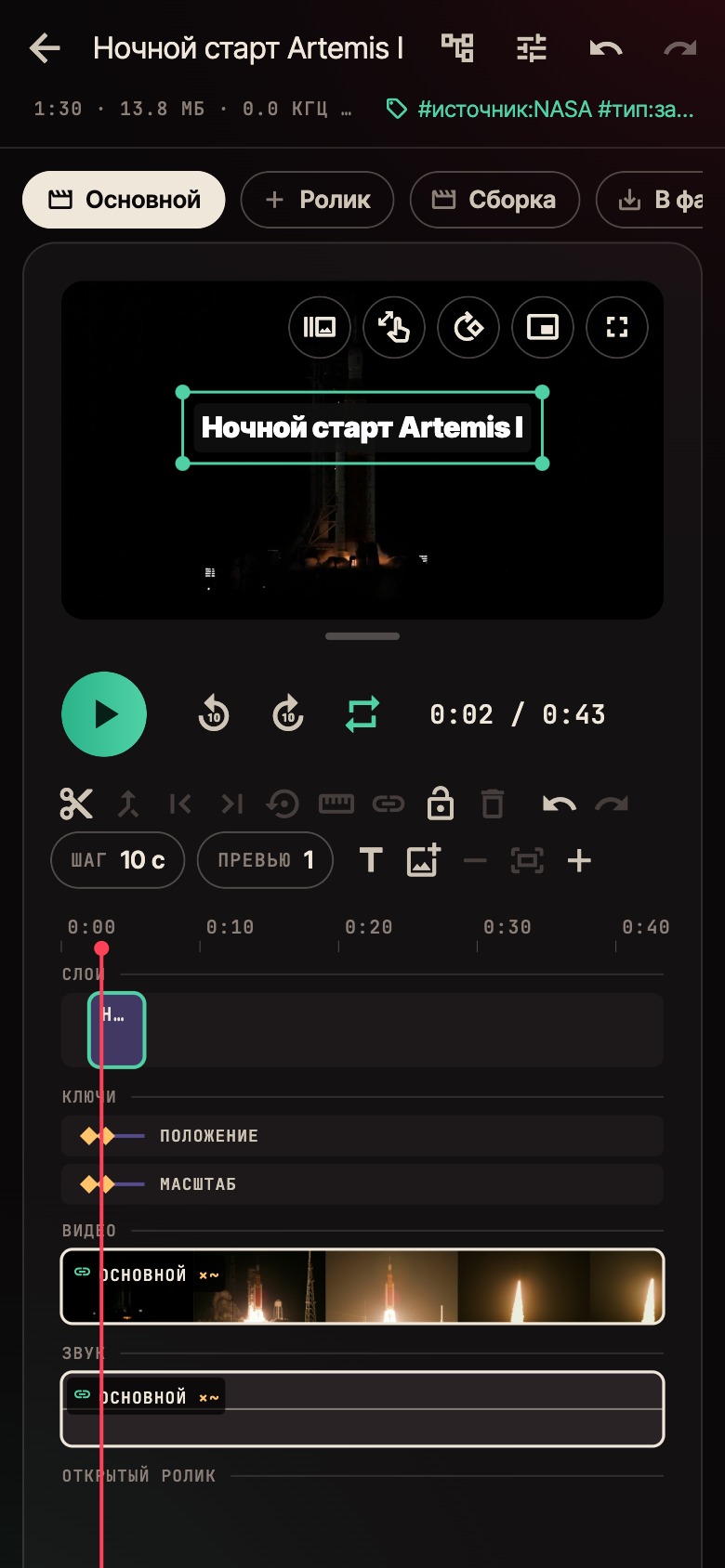
Titles and pictures go over the video as layers on their own tracks above the clip. Drag one with a finger, scale and rotate it with two. A layer snaps to the centre of the frame and to its neighbours; several layers line up with one button.
Position, scale, rotation and opacity move by keyframes — as in After Effects. Each property has its own stopwatch, and the keys show on the timeline as one lane per property: drag a diamond in time, delete the selected one.
Between keys there is a curve. There are presets ("linear", "smooth", "ease in", "ease out", "hold"), or you can grab two handles and drag them, like cubic-bezier in CSS. Pull the curve past the frame and the value overshoots: the title flies past its place and settles back. The picture changes as you drag.

Layers are drawn into the file by the same code as on screen, so the clip holds exactly what you saw. A still layer is drawn once for as long as it stands; a moving one frame by frame, but only within the rectangle it passes through.
Any piece can be sped up or slowed down — from ×0.1 to ×8, constant or ramped by keys with the same curves as layers. The keys sit on the clip's own seconds: trimming or moving the piece does not shift the ramp.
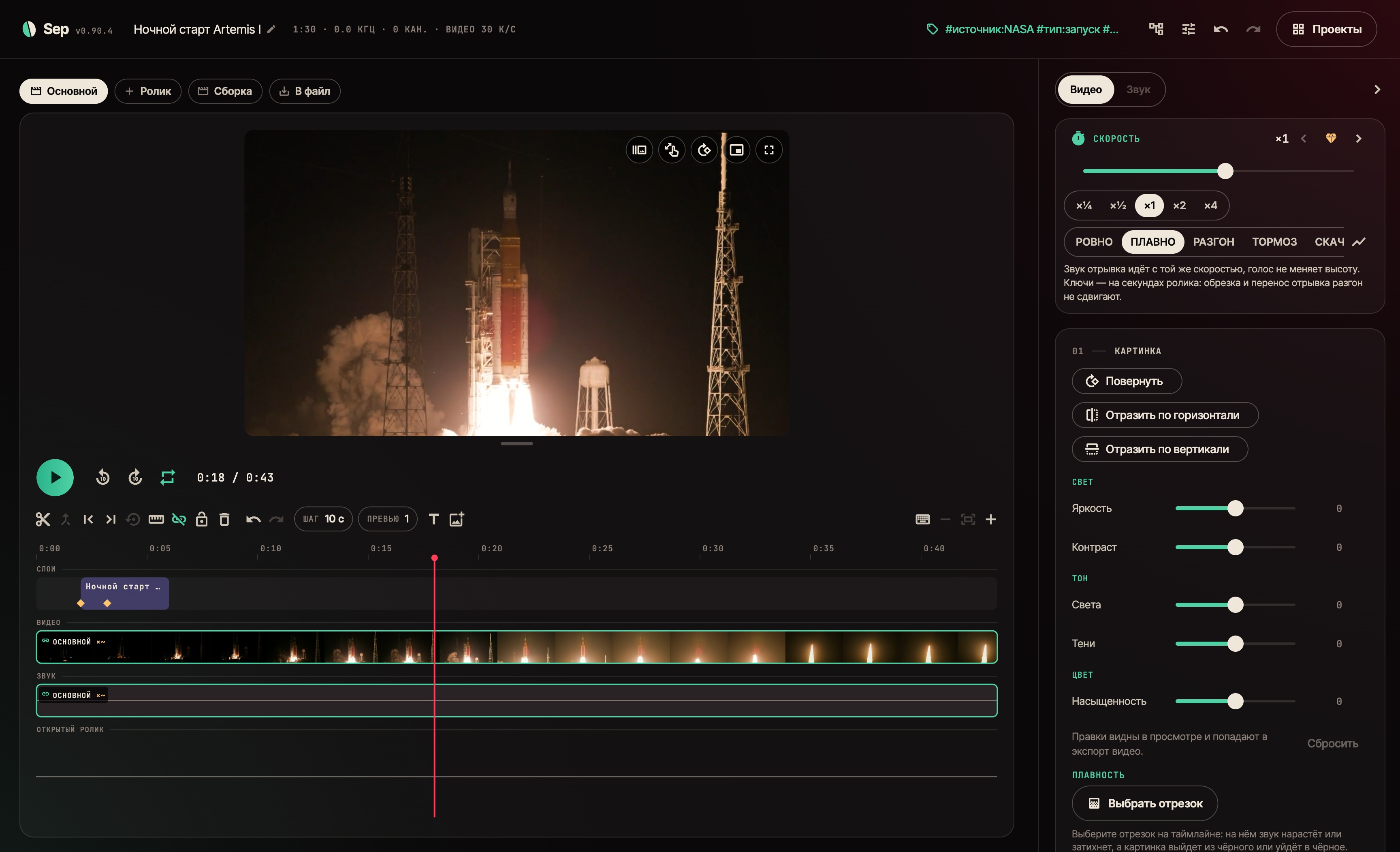
The sound follows at the same speed, but voices do not turn into chipmunks: the engine stretches audio in time without changing pitch. The algorithm is our own, in Rust — the FFmpeg on the device has none built in. And it keeps the loudness: on noise a plain stretch drops by several decibels, ours stays within half a decibel.
In the finished file a ramp is cut into tenth-of-a-second slices, each at its own speed. So the file matches the timeline to the frame, and the picture matches the sound.
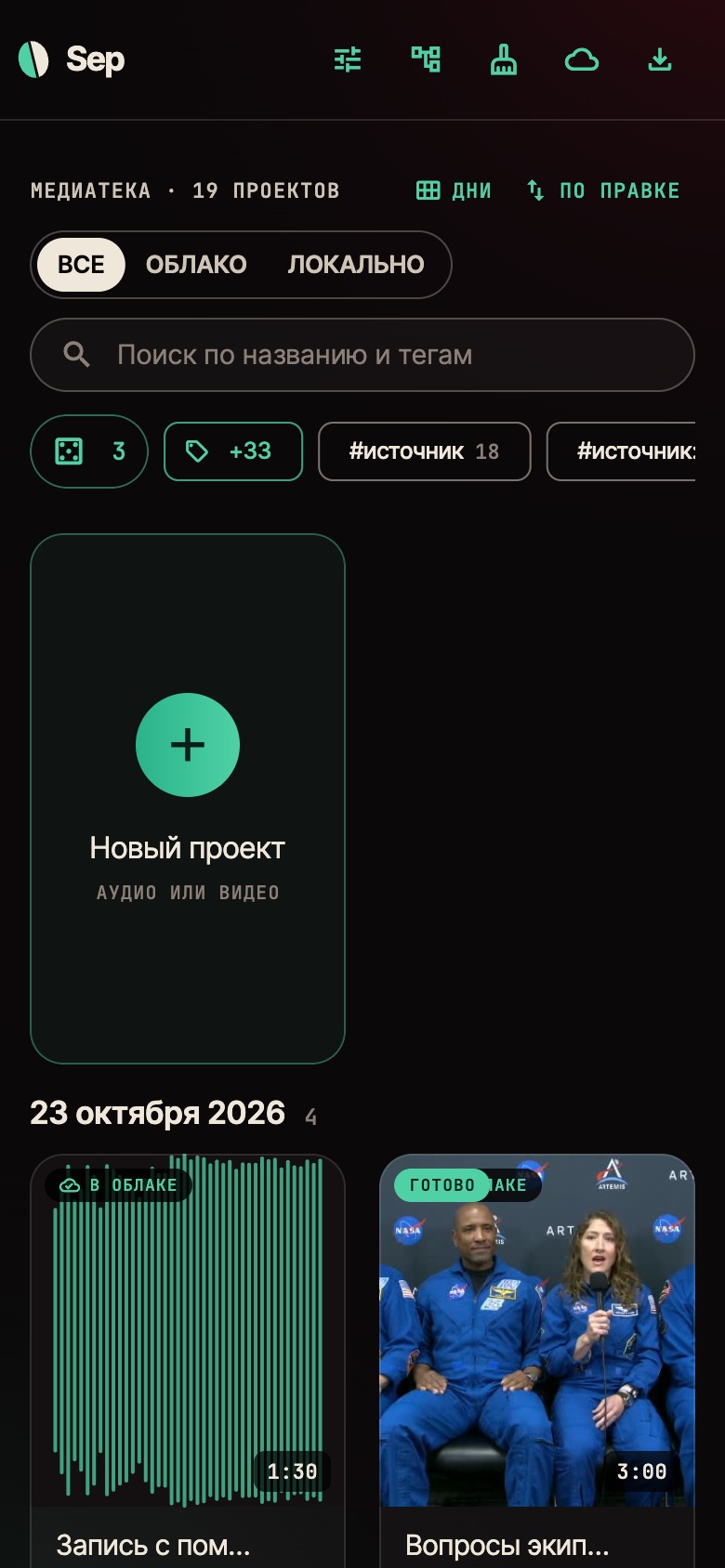
The app is mostly used on a phone, one-handed. So everything done often is done by tapping, and the buttons sit under the thumb. The keyboard is needed only to name something new.
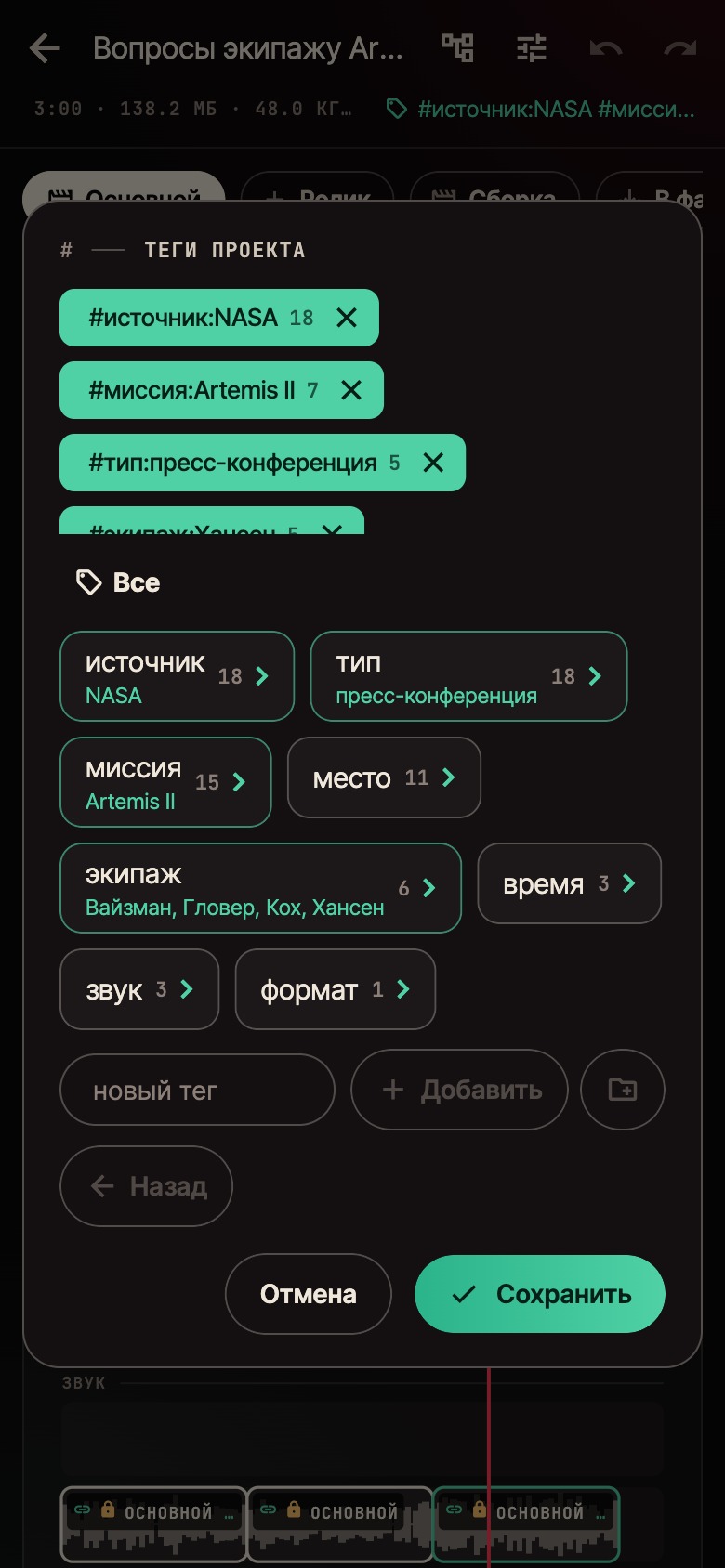
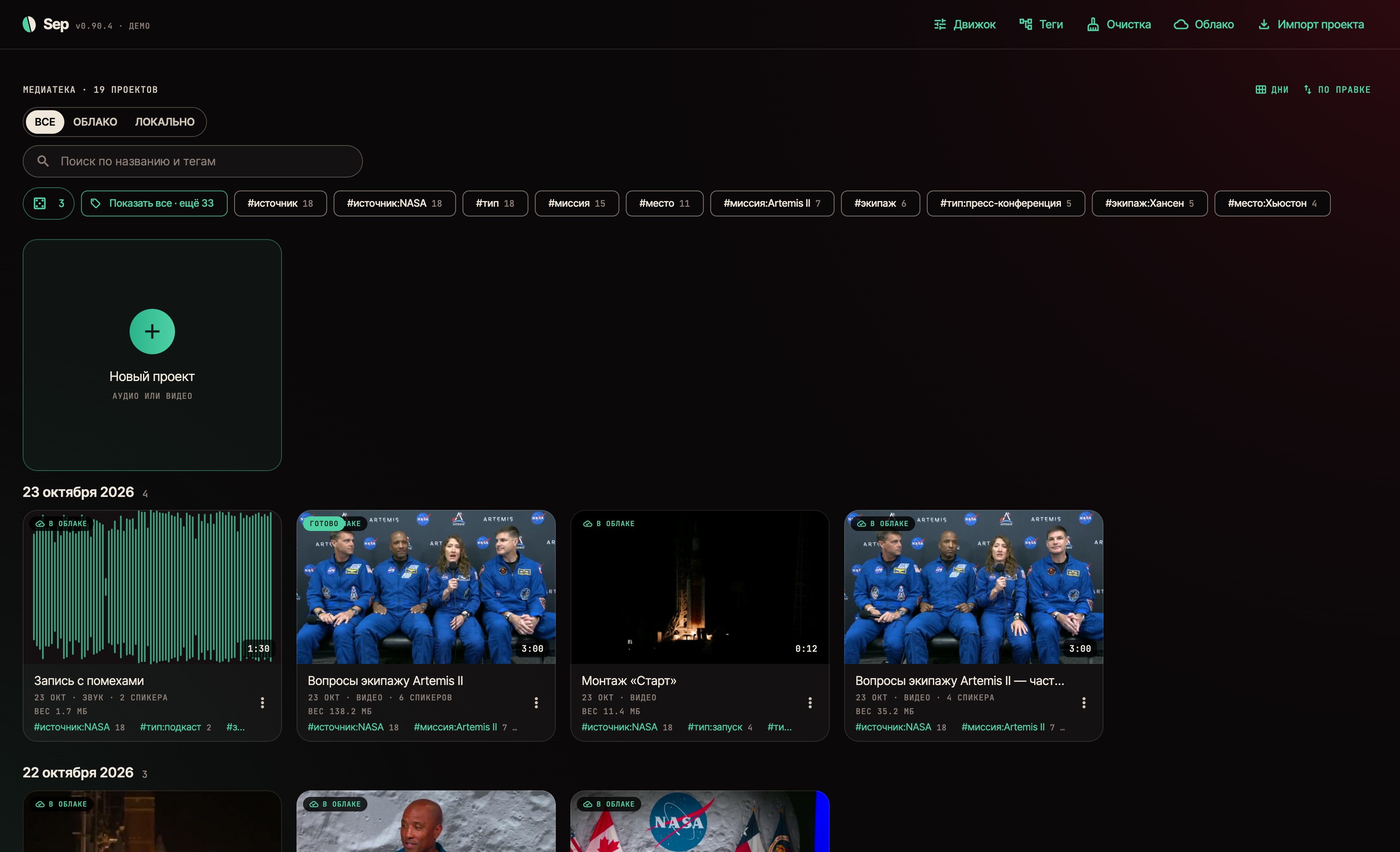
Tags are nested and kept in folders. The whole system shows as a tree: projects under each tag, zoom until a cover fills the screen.
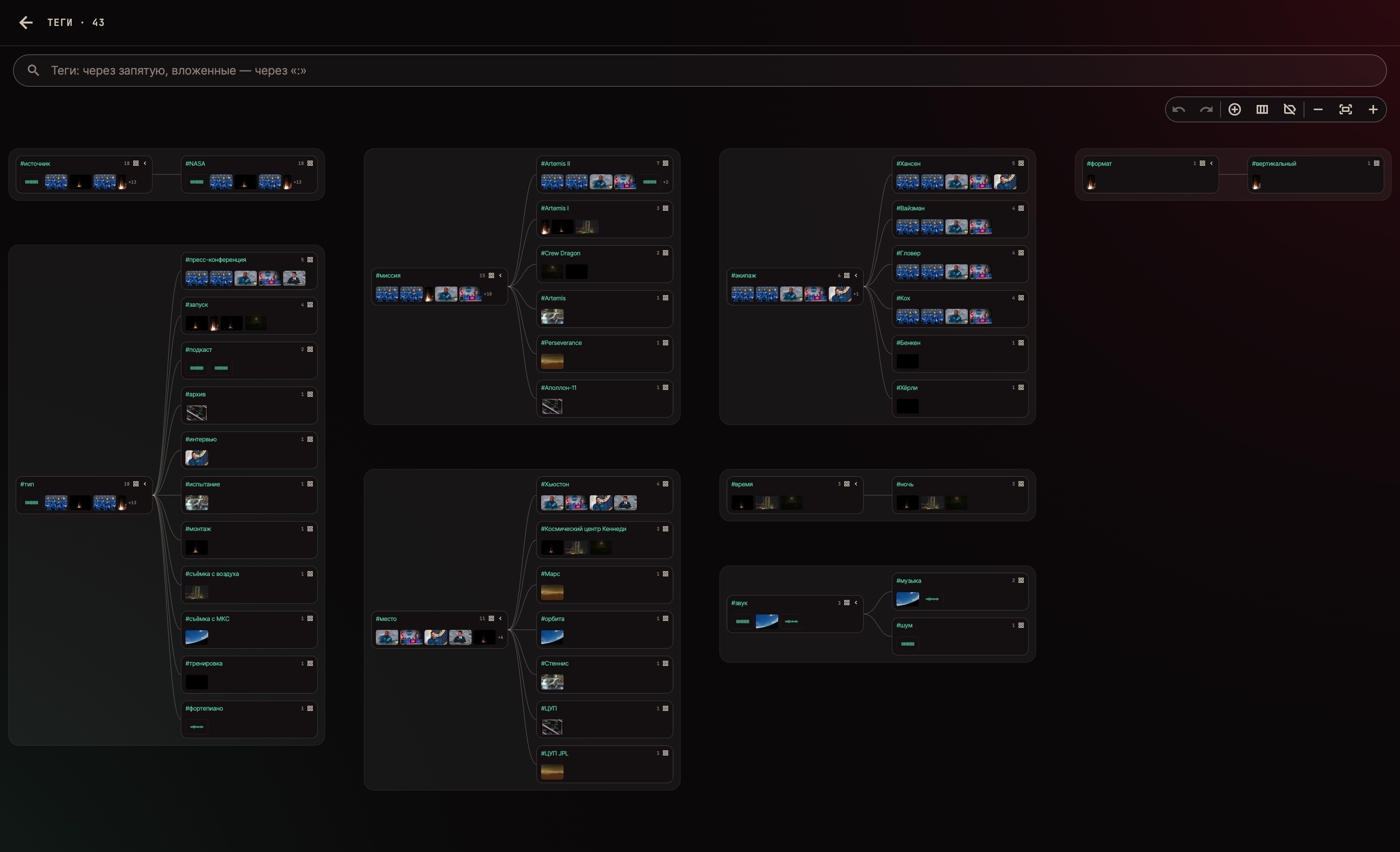
A tag can be renamed, moved, merged with a neighbour or deleted — across all projects at once. A folder can be made required: the app reminds you what a project still lacks. Search understands several conditions separated by commas and nesting written with a colon.

Any edit can be undone: trimming a clip, a layer key, a speed ramp, found speakers, renaming a tag across every project. One edit journal covers the project, and it keeps not only the data but the files an edit touched: undo it and the file is back in place.
A project is one file: the source, results, markup and tags. It can be saved, sent and opened on another device.
Processing needs no server, but moving projects between devices does. For that the studio runs its own S3-compatible storage, and the whole library syncs: an edit goes to the cloud on its own within seconds, files are stored by content — nothing identical uploads twice, and an edit sends only what changed.
The phone shows everything the computer has: a project not on the device is a card with its size in the cloud, downloaded when it is needed. It can be deleted from this device only or from everywhere — then it waits a month in the cloud's trash.
All processing lives in a Rust engine. It is built as a library, and the same core runs in the Mac app, in the Android app and on the command line. The neural nets run on the device itself; their weights are downloaded once.
The project has 382 automated checks — of the engine and of the interface, including screens at phone size. Every build goes to storage with a checksum, and a published build cannot be swapped.
The screens on this page were taken by the app itself. The demo library reaches it from the cloud, as it would for any user, and Sep set it up on its own too: projects, tags, speakers and the edit.
The material in it is video and audio from NASA and Debussy's «Clair de lune» played by Laurens Goedhart, in the public domain. Use of NASA material does not imply NASA's endorsement of the product.
As of 23 October — 21 days since the first commit: 106 releases, 15.3 thousand lines of Rust engine and 42.6 thousand lines of app. The app runs on Mac and Android. A public release is being prepared — for now the app is being broken in on a real library.
Library
projects, filtered by tags
The editor on a phone
player and timeline
Layers and keys on a phone
Tags in folders
open a folder, tap a tag
Three pieces, three treatments
no noise, as recorded, one voice removed
Layers over video
keys as one lane per property
The curve between keys — drag the handles
A piece ramps by keys, sound keeps its pitch
Every tag as a tree, projects under each
The library on a computer