
Day twenty-one of Sep. It is our own app: it removes noise, separates voices, cuts one speaker out and edits video — right on the device, with no server and no internet.
We keep the project's diary here, on the blog. This post is an overview: what three weeks produced and how it works.
What it is
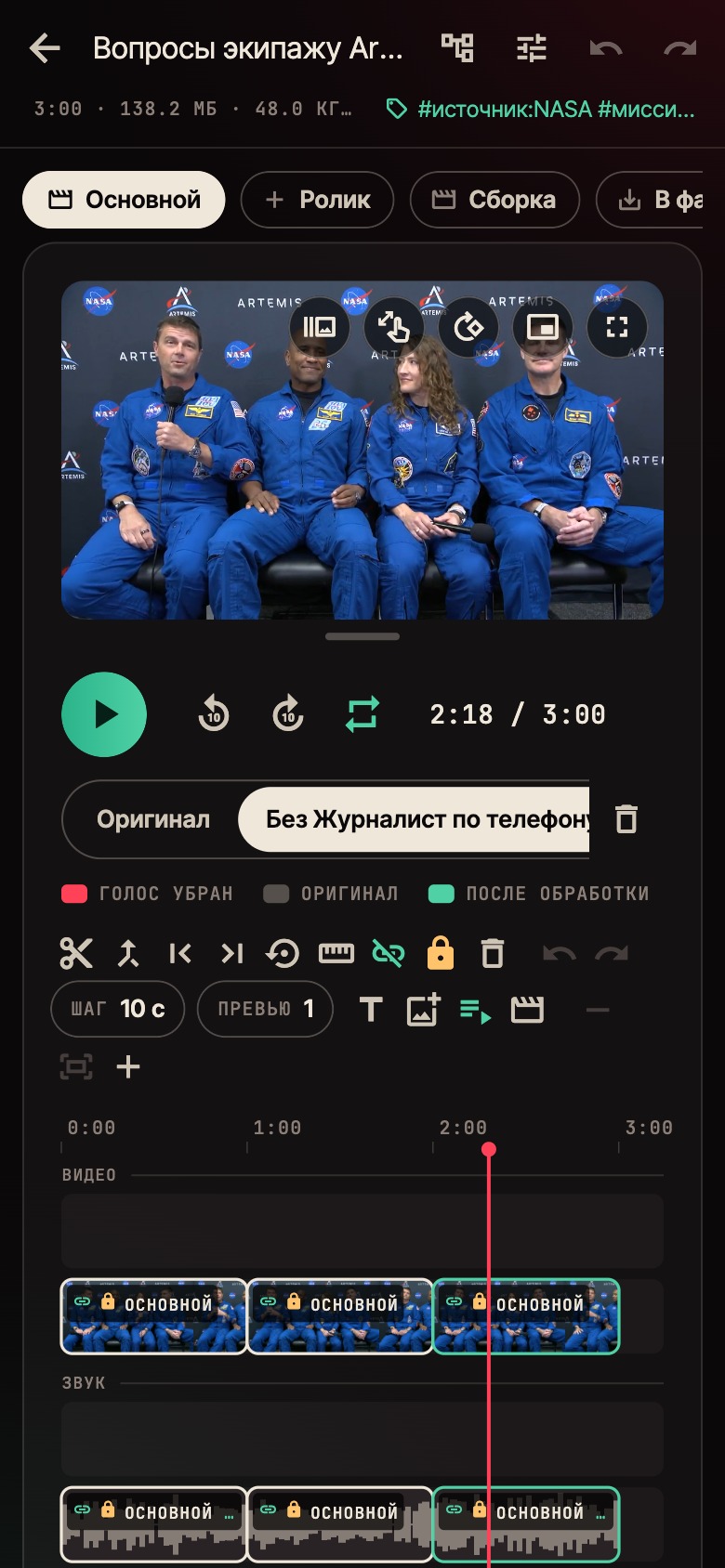
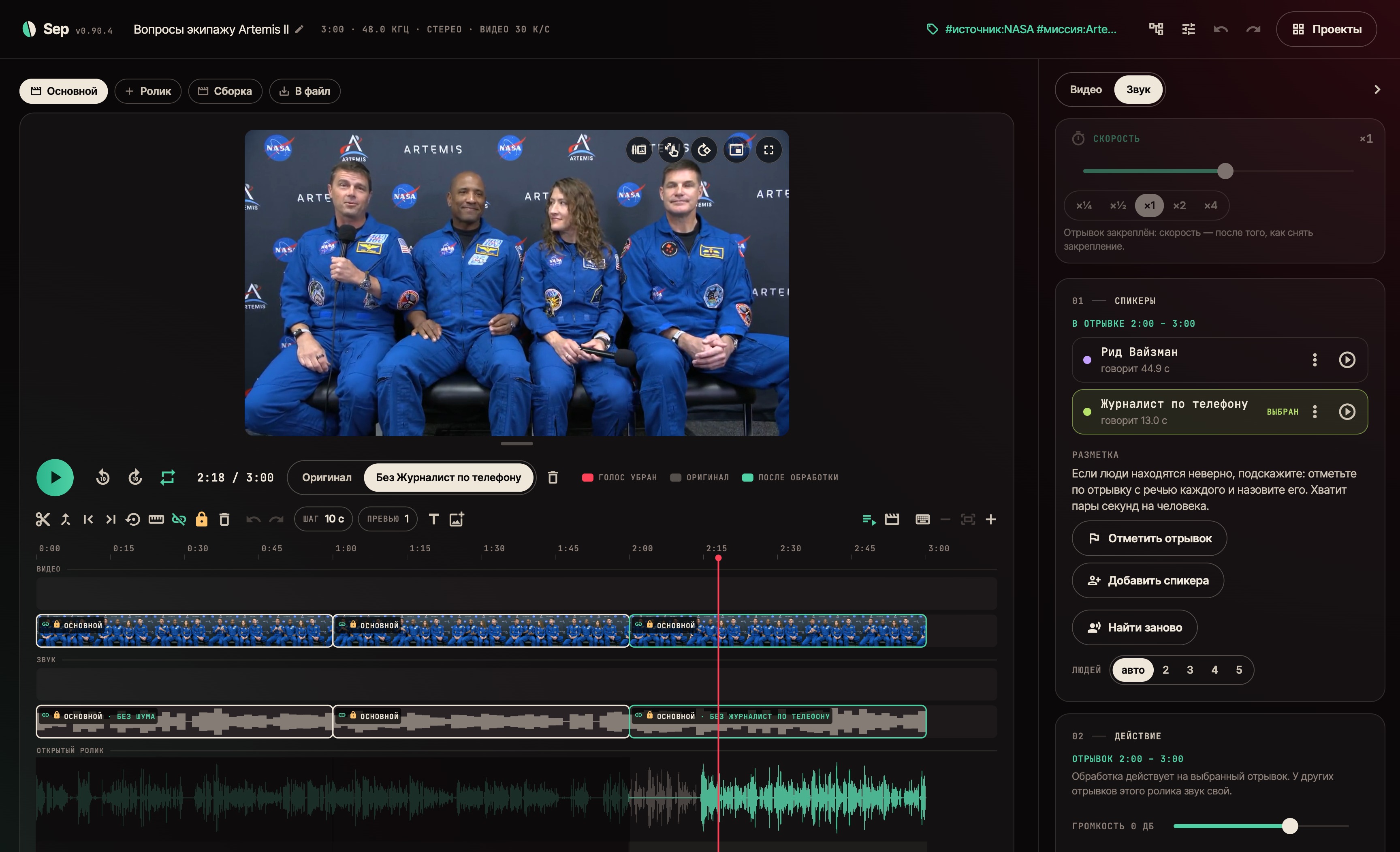
Sound. The app finds the people in a recording and shows who speaks when. Noise goes, the voice is split from the background, and one person can be removed from the recording entirely — even where they talk over others.
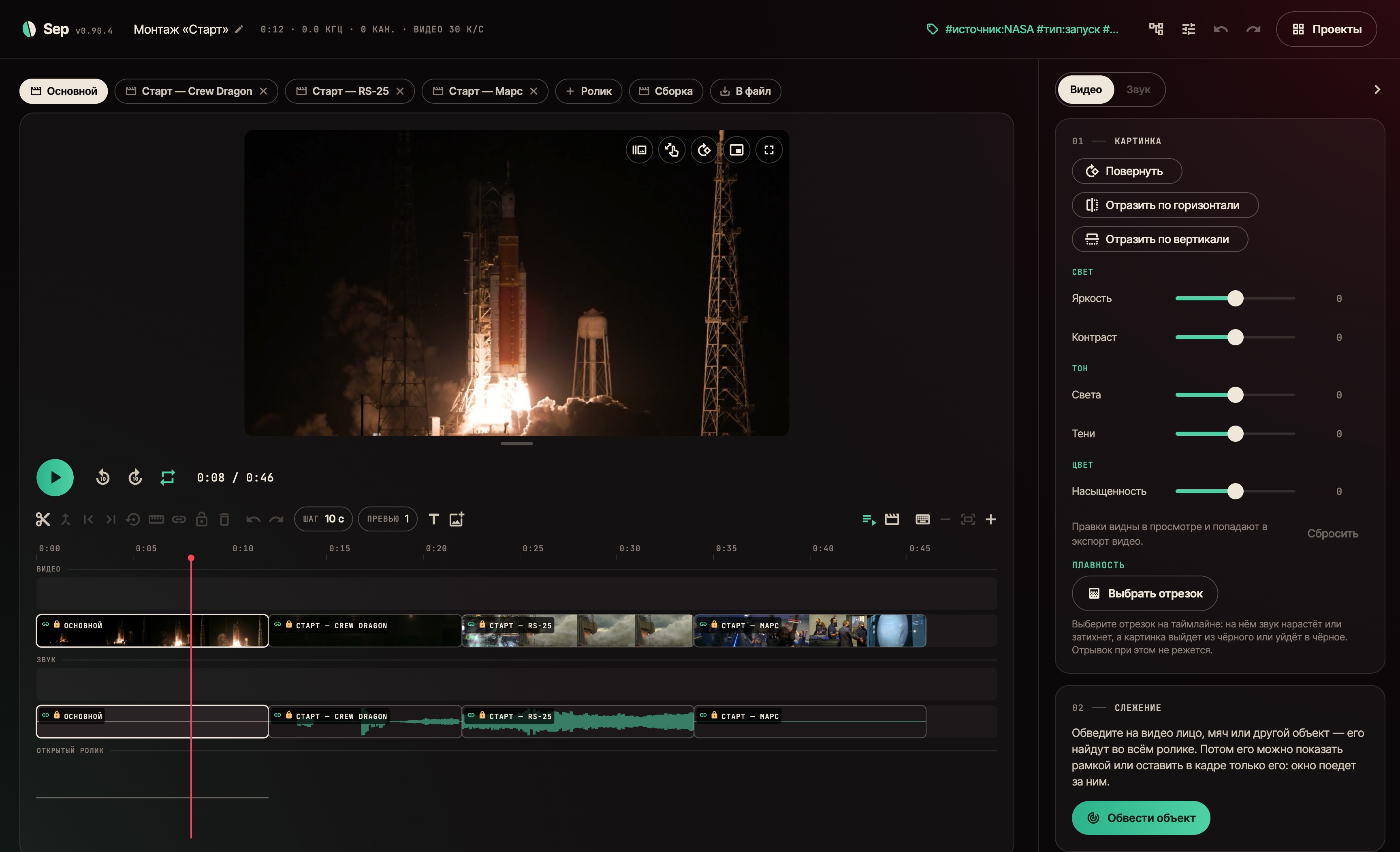
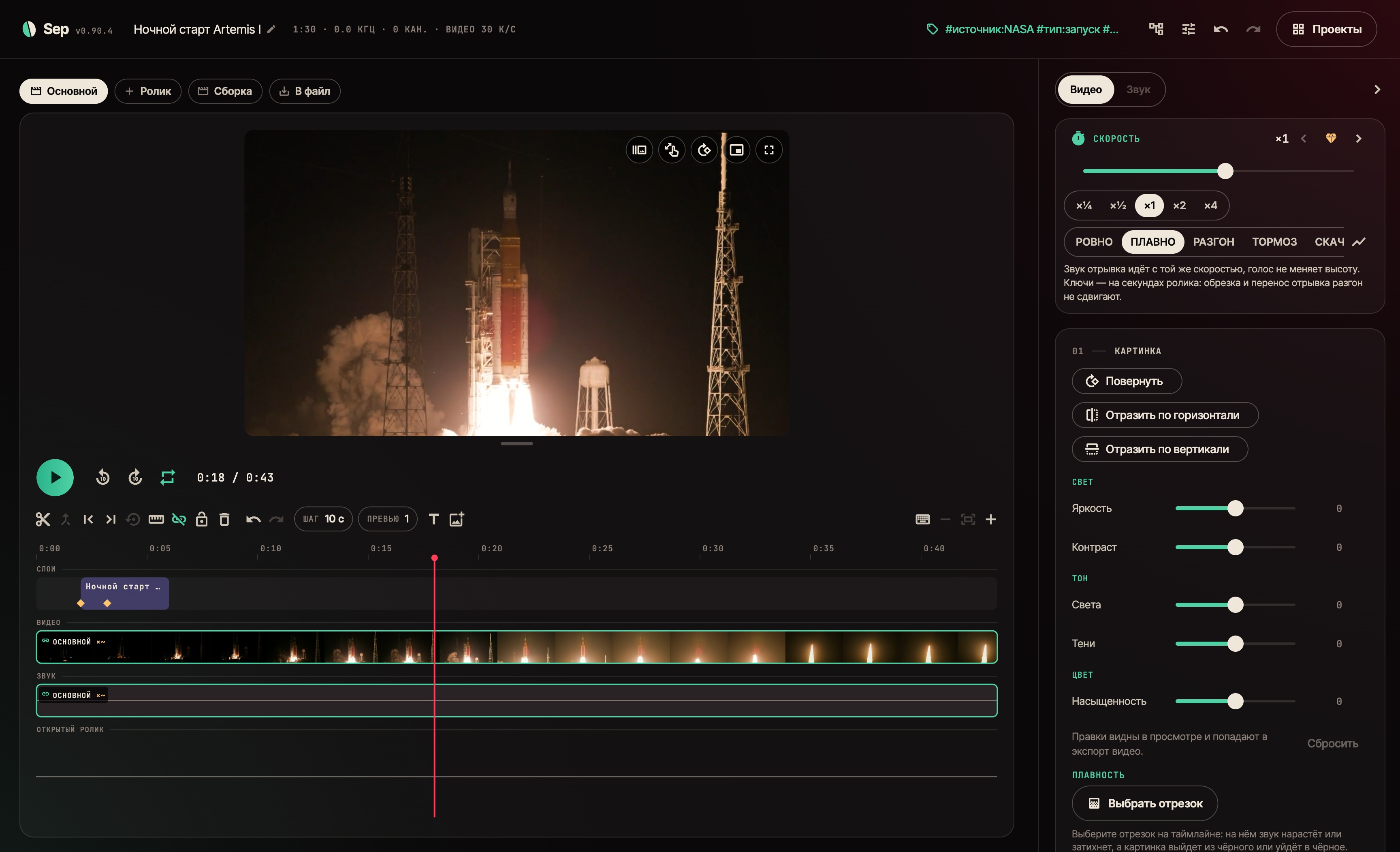
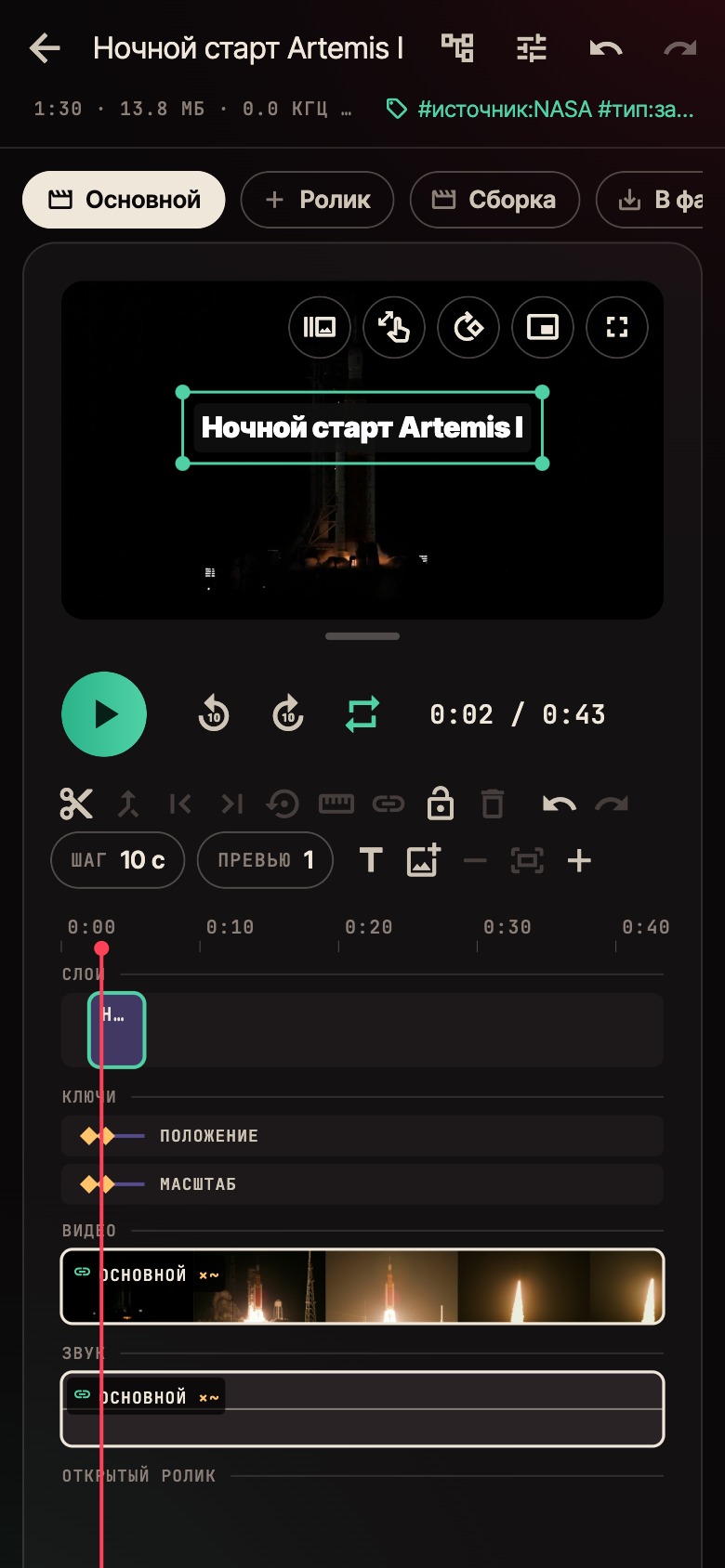
Video. Clips and audio sit on a shared timeline: cut, joined, played together. On top go titles and pictures with keyframes; pieces get speed with smooth ramps.
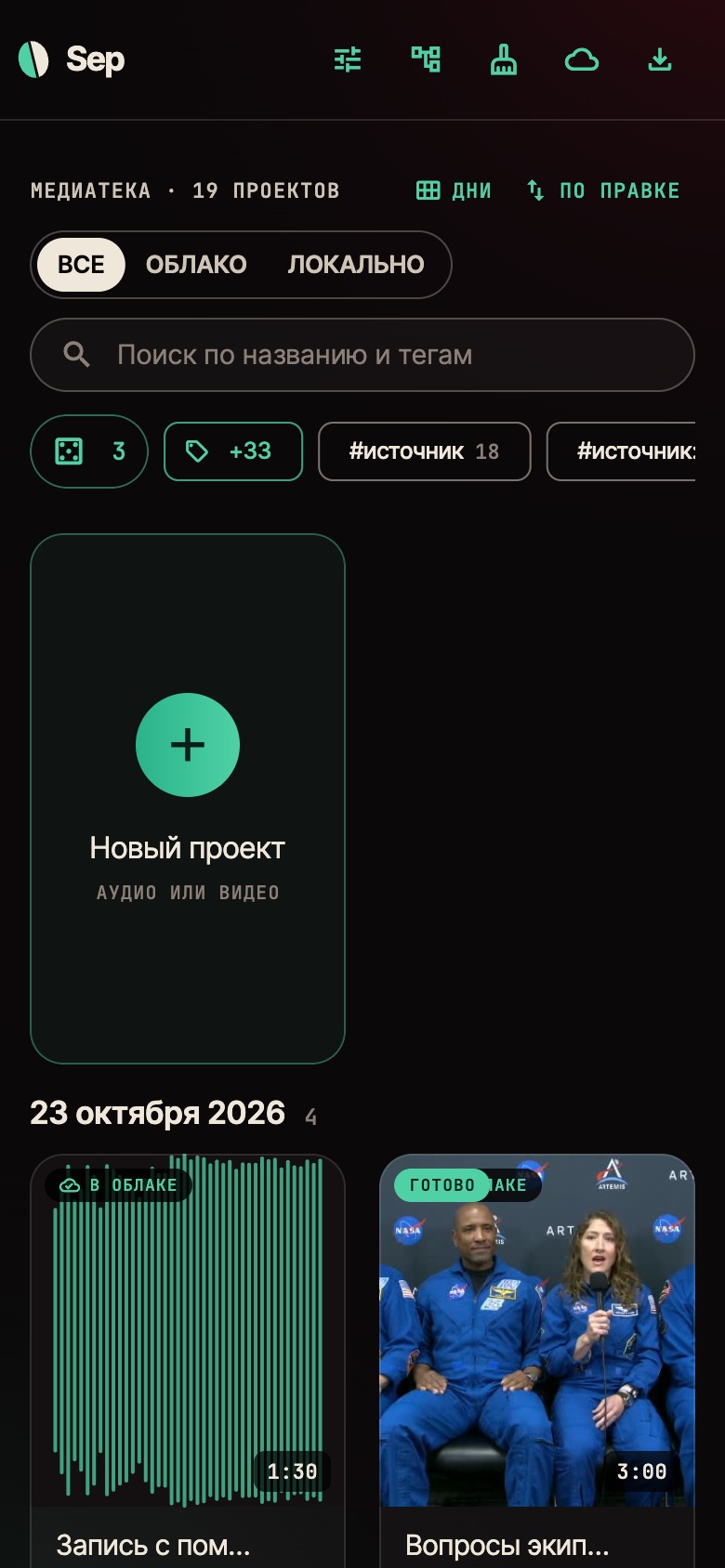
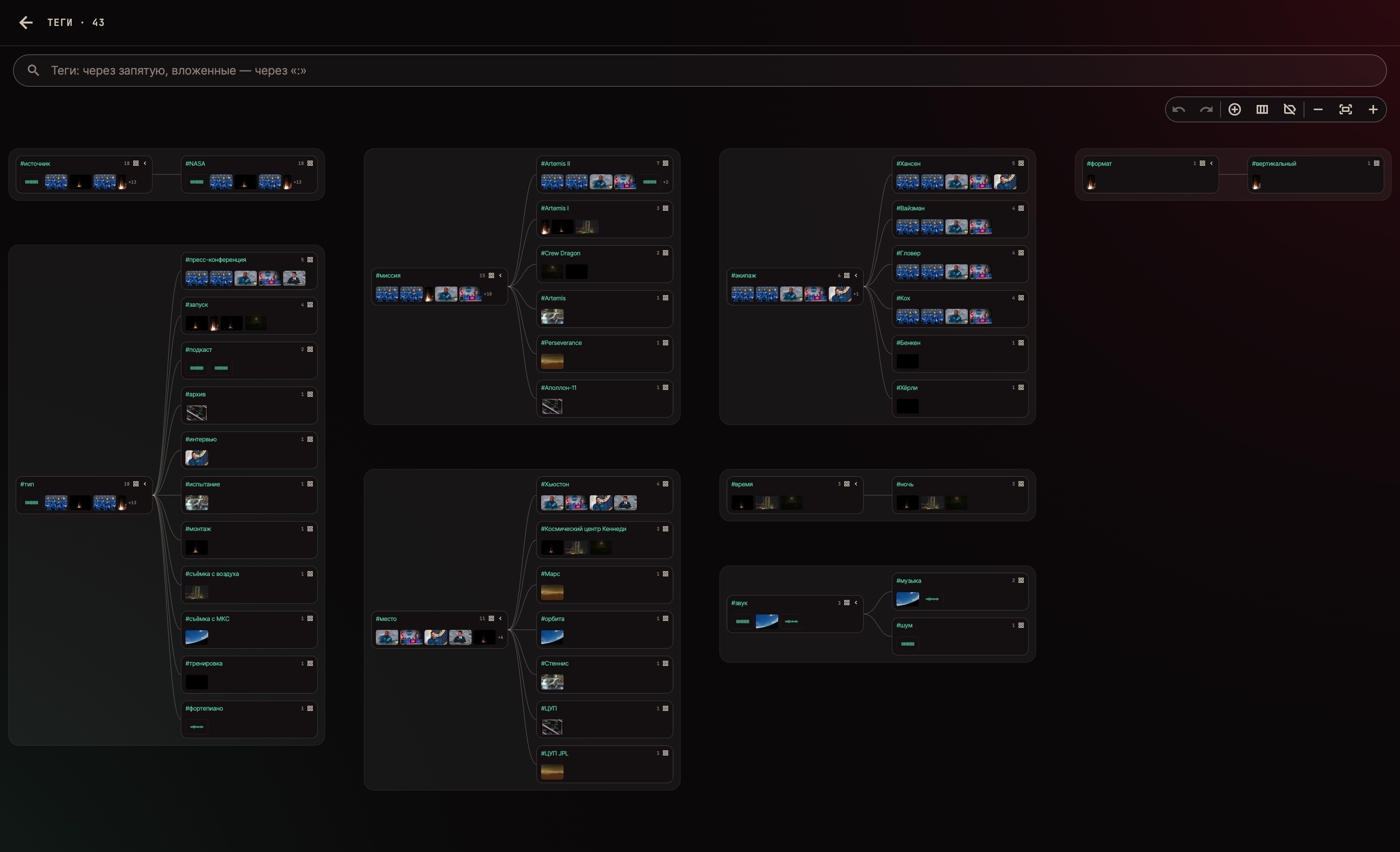
Library. Projects with tags in folders, the whole tag system as a tree. Our own cloud carries the library between devices.
The project has two rules:
- The recording goes nowhere. All processing happens on the device itself: the phone or laptop does the work, the neural nets run without a cloud.
- The original is never touched. Any edit can be undone and anything trimmed can be brought back: the source always stays in the project.
The app is mostly used on a phone, one-handed. So everything done often is done by tapping under the thumb, and the keyboard is needed only to name something new.
Each piece has its own processing
Processing belongs to a piece on the timeline, not to the whole clip. Cut a recording and one part loses its noise, another loses a voice, a third stays as recorded.
The engine works on the selected piece only, not on the whole file. On a three-minute interview that is the difference between seconds and minutes.
Our own audio engine
While the timeline held a single clip, the system player was enough. Then music went under the video, a second voice next to it, and the players began to drift apart: each has its own clock.
So sound is now played by our own Rust engine: one clock for every track, live mixing and exactly the same sound in the saved file.
Layers and keyframes
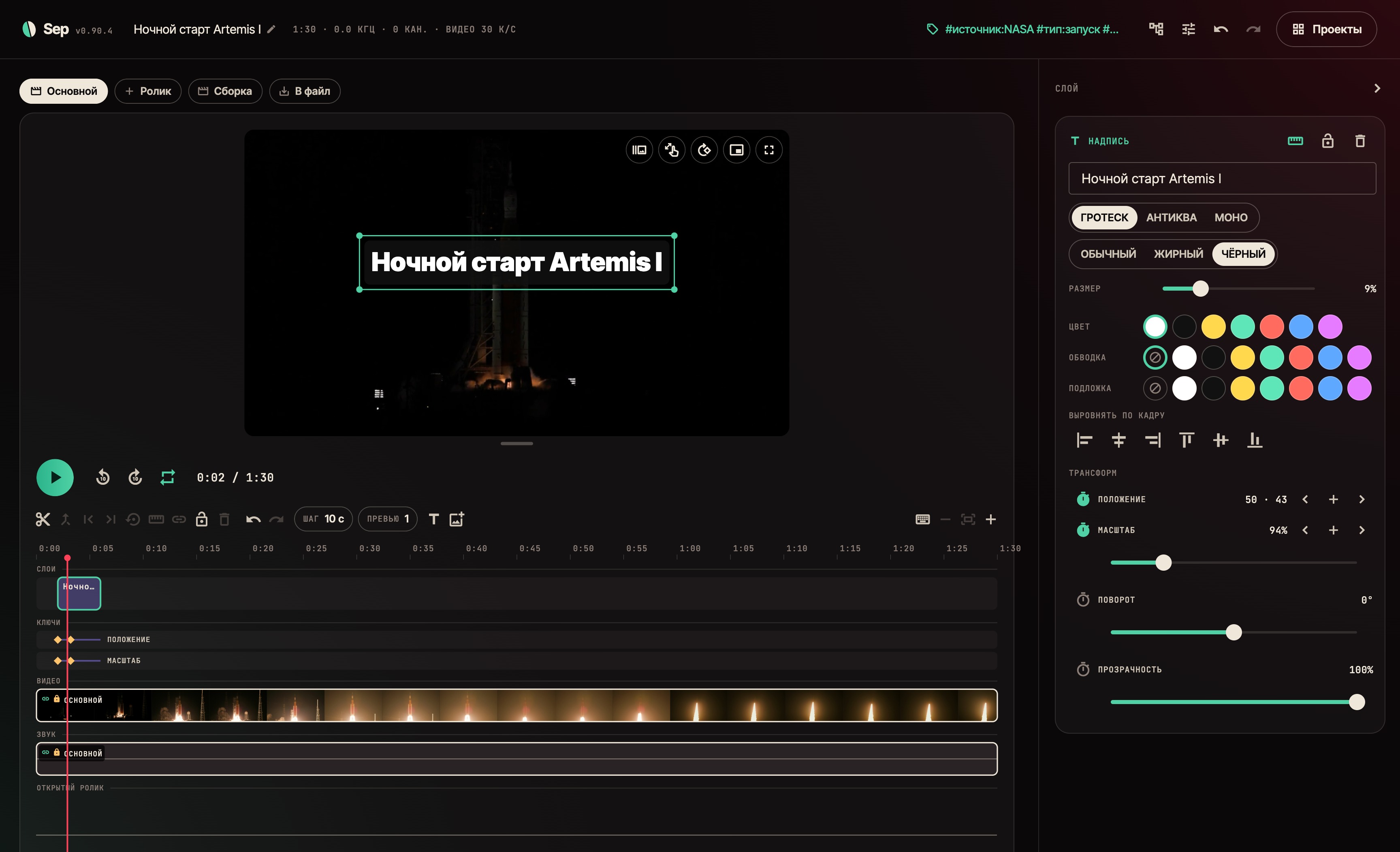
On top of the video go titles and pictures, as layers on their own tracks. Position, scale, rotation and opacity move by keyframes, as in After Effects: each property has its own stopwatch, and the keys show on the timeline as one lane per property.
Between keys there is a curve. There are presets, or you can grab two handles and drag them with a finger: pull the curve past the frame and you get an overshoot — the title flies past its place and settles back.

When there are hundreds of tags
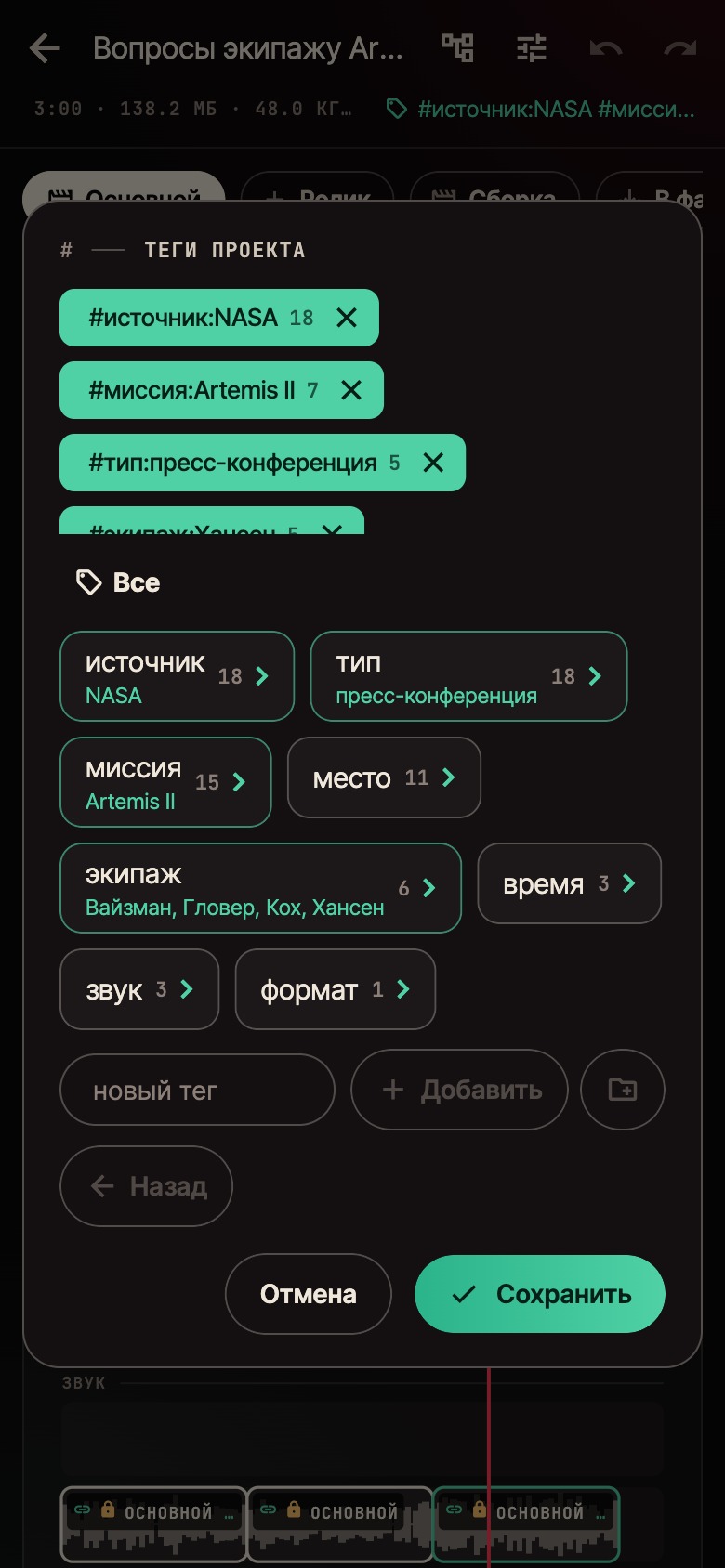
Tags are nested and kept in folders. The whole system shows as a tree: projects under each tag. A tag can be renamed, moved or merged with a neighbour — across every project at once — and required folders remind you what a project still lacks.
What else is already there
- Subject tracking — mark it on one frame and the frame follows it through the clip.
- Our own cloud — S3-compatible storage: an edit goes up on its own, identical files never upload twice, and on the phone a project downloads when it is needed.
- Undo for everything — trimming, found speakers, renaming a tag across every project: the edit journal remembers both data and files.
- The screen stays on while a project plays — a small thing, but without it you cannot watch a long recording on a phone.

Numbers
In three weeks — 106 releases, 382 automated checks, 15.3 thousand lines of Rust engine and 42.6 thousand lines of Flutter app. It runs on Mac and Android.
The app took the screens in this post itself: the demo library reaches it from the cloud, and Sep set it up on its own too — projects, tags, speakers and the edit. It holds video from NASA and Debussy's «Clair de lune» in the public domain; use of NASA material does not imply NASA's endorsement of the product.
What comes next
A public release is being prepared — for now the app is being broken in on a real library.
The next step is heavy processing on a home server: you edit on the phone while the server separates the voices. The first measurement is honest: an 18-core Xeon is half as fast as an M4 Pro on a single job, but six jobs in parallel take 23 seconds a file — as long as one takes on the laptop. More on that in the next posts.