Day seventeen of NAS. The box sat idle for a whole day: nobody copied or browsed anything. Yet the pool disks kept writing the whole time — over 50 GB in a day. This is how we found who was writing, and why it turned out not to be about bytes.
A day of doing nothing
In the morning we opened Server. CPU at 1–3%, memory flat at 6 GB all day, the ZFS cache steady at 30 GB. Everything looked like a machine at rest.
Except one line: writes to the pool sat at ~0.6 MB/s from midnight to evening. That is about 2 GB an hour, over 50 GB a day. And disk busy time never dropped below 5%: the disks did not rest for a minute.
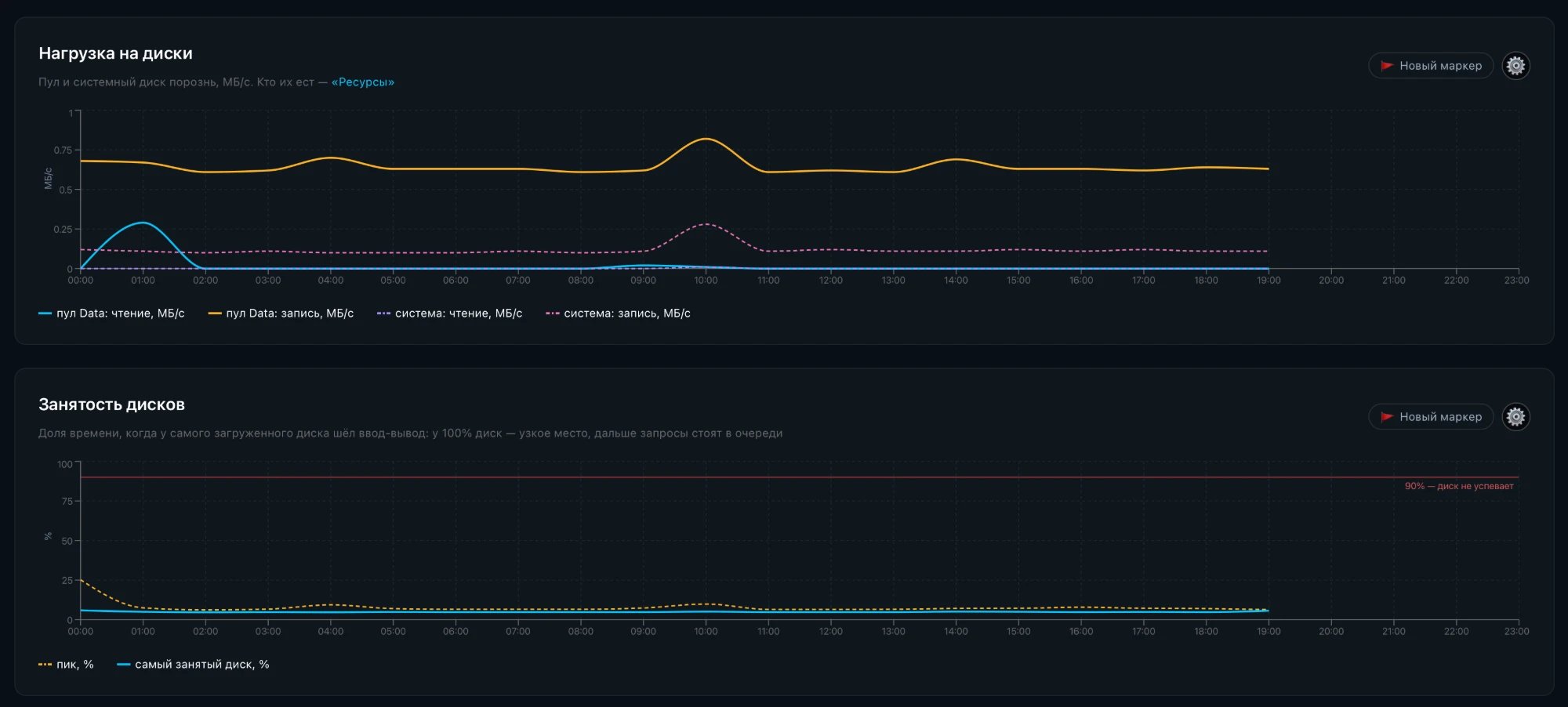
The Disk load and Disk busy charts had appeared the day before, with the pool and the system disk shown separately. Without them there would be no story: before that, the panel did not show disk writes at all.
Who is writing
First stop, Resources, where the disk is split by consumer. 55 GB of the day's writes went to "System", and the database had 0 MB.

The suspects
Then one by one, most likely first. Each was checked with numbers on the box itself, read-only.
The database. Postgres writes 8 KB pages, and ZFS stores files in 128 KB blocks, so every write could rewrite a block 16 times larger. Dataset counters: 12 writes and 0.07 MB* a minute into the NAS dataset. Too little.
Access time (atime). If it is on, every file read is also a write. Checked: atime* is off on every dataset.
The TrueNAS system dataset. .system holds monitoring charts, logs and Samba state, and it lived on the pool. We moved it to the system NVMe. Pool writes did not drop: 36 MB a minute before, 45* after.
Freeing space, volumes, replication.* No background freeing, no zvols, no snapshots being received.
The counter of ZFS itself
ZFS keeps a log of its flushes to disk, each with how much data came in and how much was written to the disks. In 8.3 minutes: 98 flushes, 160 MB in, 302 MB to the disks — the same 36 MB a minute.
Yet per dataset only two writers touched the pool in that minute: NAS with 12 writes and TrueNAS Docker with 40. Together about 50 small writes a minute, under 0.2 MB of data.
The live chart shows it at once: 2 MB/s spikes exactly every 5 seconds.
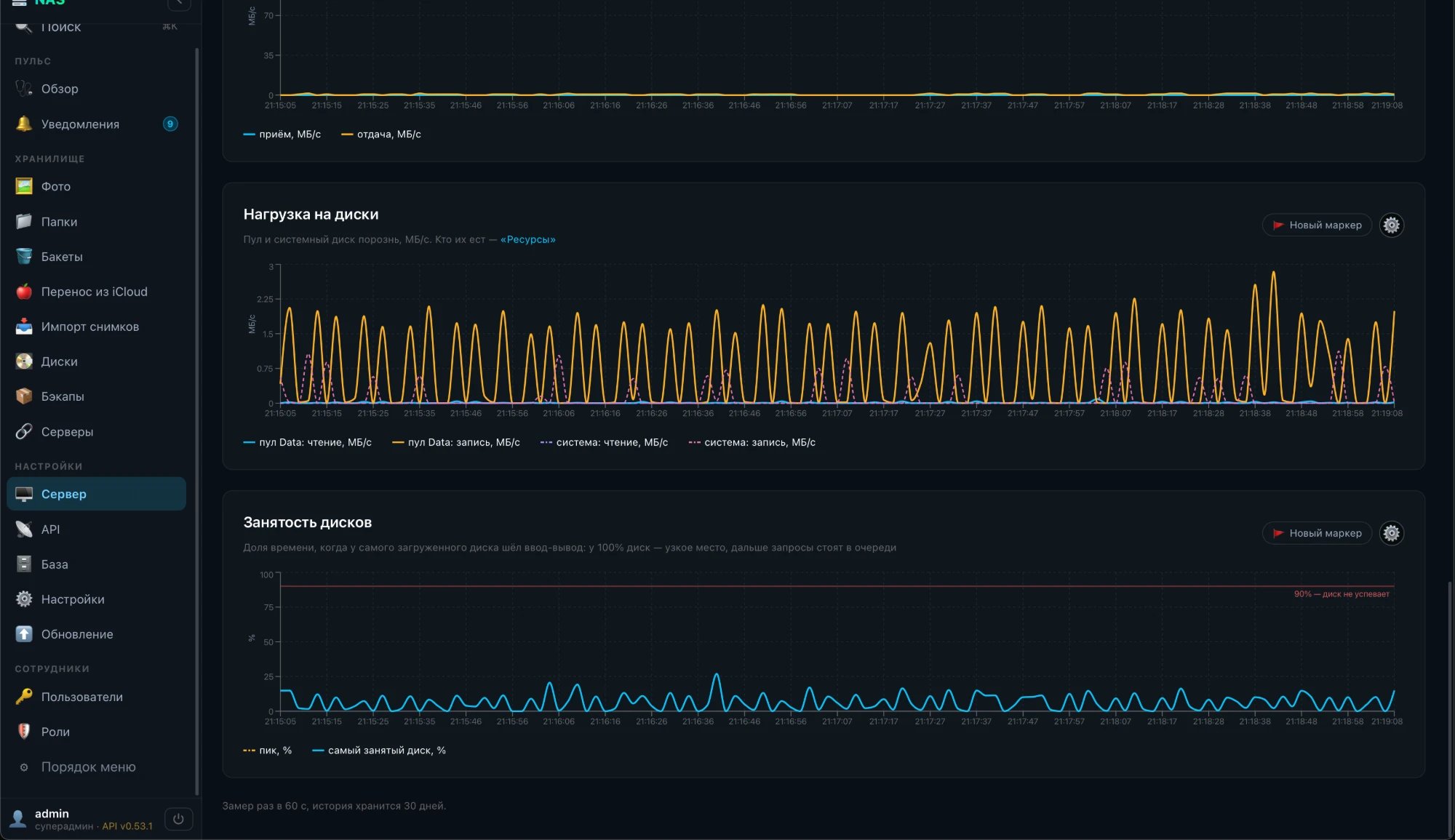
Every 30 seconds
There is one lever: flush less often. The interval is set by the kernel setting zfs_txg_timeout: 5 seconds by default, we set 30. First as a trial until reboot, then permanently, with a script at TrueNAS startup.
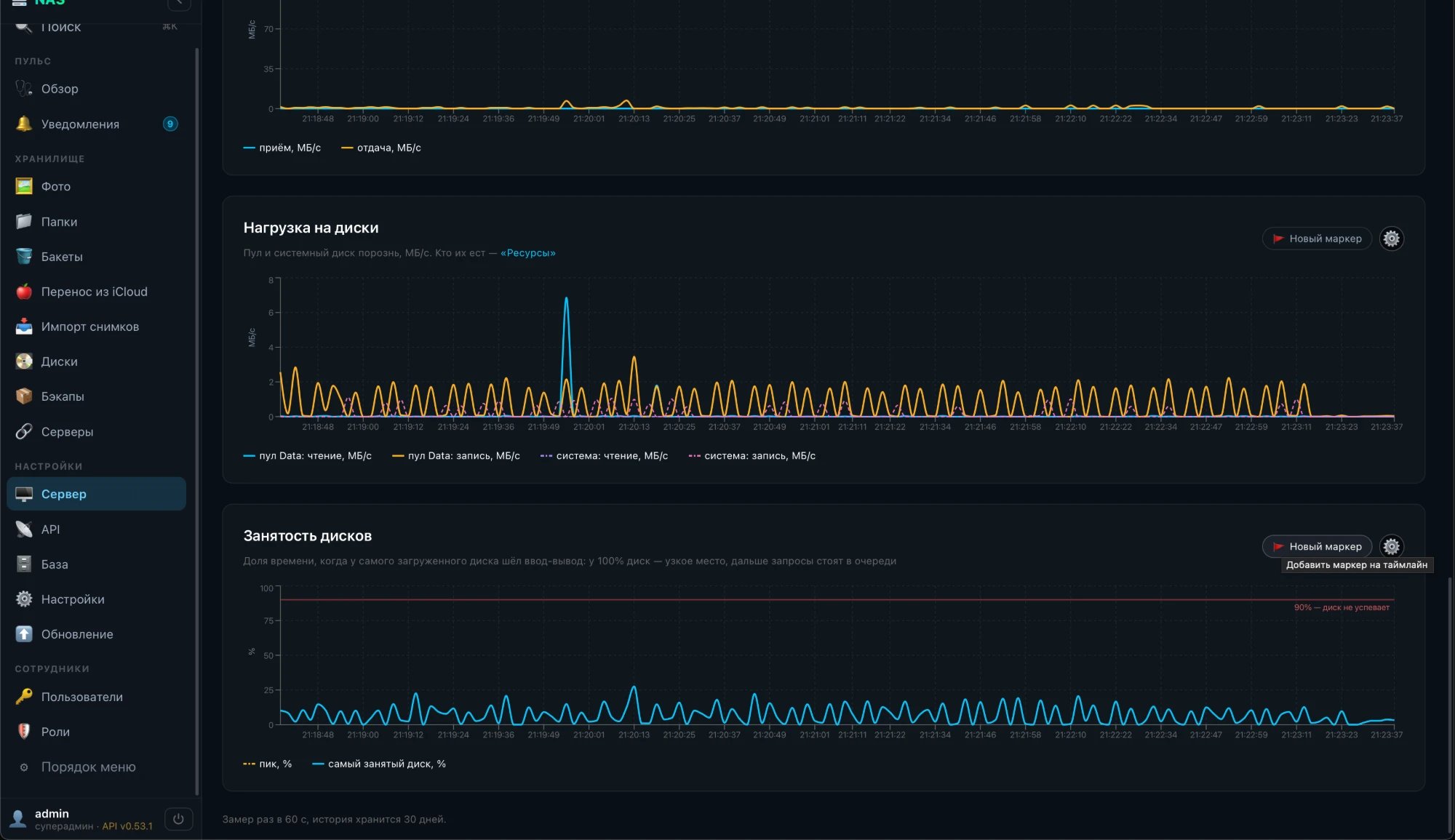
There are six times fewer flushes: 2 a minute instead of 12. Each is bigger, but the metadata writing that came with every flush now happens six times less often, and the pool disks stand still between flushes.
Was it a problem at all
No. About 65 GB a day for the whole pool is roughly 11 GB per disk, 4 TB a year. The manufacturer rates IronWolf disks for 180 TB a year: we were at 2% of that. This is normal ZFS behaviour on RAIDZ.
But disks that never rest mean noise, heat and wear for nothing. And more importantly, we now know where every megabyte comes from and see it on a chart instead of guessing.
What stayed in the panel
- Disk load: reads and writes, the pool and the system disk separately, in history and live.
- Disk busy: the share of time the busiest disk was working; at 100% it is the bottleneck.
- A disks tile on Server: how much is being read and written right now.