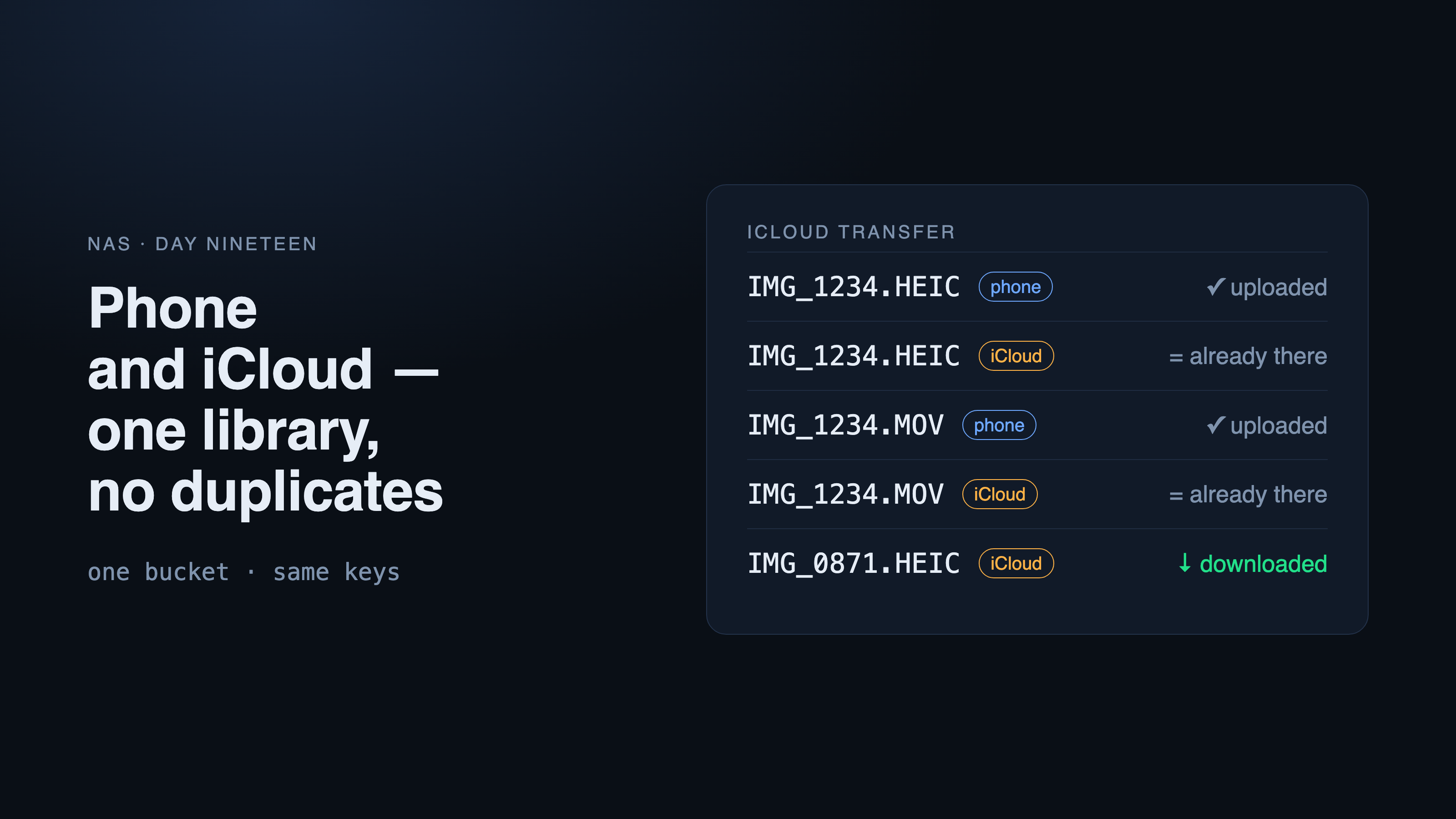
Day nineteen of NAS. Two things fill the family photo library on the box: the app on the phone, and the box itself, pulling old photos straight from iCloud. This entry is about why one path wasn't enough — and how we keep two paths from storing the same photo twice or overwriting each other.
Why not through the phone
The plan started simple: the app uploads everything Photos can see. But in large libraries the originals live in iCloud, and the phone only keeps smaller copies.
To upload an original, the phone first downloads it. Photos keeps every downloaded file as cache and gives the space back only when it runs short — and an app has no way to evict it. With a 1.6 TB library, a phone or a Mac fills up in about an hour.
The second phone in the family has the opposite problem: its iCloud storage ran out, and since March new photos live only on the phone. "Upload everything" would reach the old ones and start pulling them onto a phone with 28 GB free.
So we split the work. The box pulls the old library from iCloud itself, server to server. The phone uploads only what is actually on it: "Device only" mode forbids Photos from using the network and skips anything that isn't on the phone.
But now the same photo often belongs to both: the phone has already uploaded it, and it's in iCloud too. Two sources feeding one library can go wrong in three ways: store a photo twice, overwrite someone else's file, or download what is already there.
One layout for both
The key decision: the box puts files from iCloud into the same bucket, under the same keys the app uses. A key is built from the capture moment and the start of the file's own hash.
The source of truth is the app's Rust function. The box re-implements it in Python and is checked against it on the slippery parts: daylight saving time in the year the shot was taken, and names without an extension. The test lives in the box's checks.
The bucket is immutable: neither the phone nor the box can overwrite what's stored. Even if one of them has a bug, it ends in a refusal, not a lost original.
From iCloud the box takes exactly what the app takes: the original, the Live Photo video, the RAW from a pair, and the current edit — each file under its own key. On top of that come Hidden photos and the shared library: the app can't see them, so they're behind toggles.
How the box spots what the phone already uploaded
The hash in the key sets a trap: to compute the key of an iCloud file, you have to download it. And the whole point is not to download what's already uploaded.
So before downloading, the box queries its own index using what iCloud reports up front: is there a file with the same capture second, the same extension and exactly the same size in bytes? If there is, the file is marked "already there" and never downloaded.
If there's no match, the file is downloaded and the full key, hash included, decides:
The key is free. The file is stored with a .json* sidecar carrying the app's fields and
source: icloud.The same file is already there. The sha256* matches — nothing is touched, "already there".
A different file holds the key.* A conflict goes to the log instead of an overwrite. A person sorts it out.
The box never writes its own sidecar next to a file the phone uploaded: that file already has the app's sidecar, and the bucket is immutable.
That's also why the time remaining is estimated from photos over the last two minutes, not from bytes. While the transfer walks through what's already uploaded, there are hardly any bytes, and a byte-based estimate came out in weeks.
The price of signing in to iCloud — and why you can trust it
iCloud has no official server-side access to photos. The box goes in through the pyicloud library — and gets full access to the Apple ID session, deleting included.
So read-only doesn't rest on our being careful. It rests on three locks:
The password is needed once and isn't kept anywhere: password, a code from a device, and from then on a session that lasts about two months. When it expires, a "sign in again" push arrives, and the transfer resumes where it stopped.
Every downloaded file is checked against the size iCloud reported, and its sha256 is computed on arrival. If they don't match, the file is rejected and goes to the error list. A dropped connection, a pause or a restart of the box loses nothing: the log remembers every file.
One photo, one tile
Even with no duplicates in the bucket, a single shot can be made of files from different places: the phone brought the original, while the box brought the edit or the Live Photo video from iCloud.
The box's Photos feed glues them into one tile. Within one source it matches by capture second and a shared identifier; between the phone and iCloud — by the Photos name, like IMG_1234.
The box hands the same name to the app. Before, the Mac showed a photo transferred from iCloud as "not on NAS yet", and a whole day in the feed appeared twice: it judged only by its own list of uploads. Now the app hides a local photo if the box has one of the same kind, with the same name and a capture time within ± 2 s.
Both paths show up in the sync history under the transfer. An iCloud run records its own summary: how long it took, downloaded, "already there", speed, errors. Phone uploads are grouped into sessions per access key: a gap longer than 30 minutes starts a new session.
Speed: straight from iCloud is 20× faster
The official way out of iCloud is slow: Apple's app hands over originals at 4–5 MB/s, and that's at best. Our app on the phone uploads at 30–35 MB/s. The box, going to iCloud itself, server to server, pulls 100 MB/s and more.
The whole library would take days the official way and a few hours directly. With small photos the limit isn't the link but each request's latency — which is why the transfer can use up to 24 threads, and the thread slider takes effect on the fly, without a pause.
And even at that speed the box downloads from iCloud only what it doesn't have yet: everything the phone already brought is skipped without a download.
What's verified and what isn't
| What | How |
|---|---|
| Key layout, daylight saving time | test against the app's function |
| Files the phone already uploaded | test bench |
| Conflicts and truncated files | test bench |
| Pause mid-download, retry without duplicates | test bench |
| Writes to iCloud blocked | test bench: 12 methods and 4 requests |
| Apple sign-in and a live library | two family accounts, live libraries |
How many photos the live run transferred and how many were "already there" we don't quote here: we didn't record those numbers.
What's left in the panel
- Storage → iCloud transfer: password-and-code sign-in, trial run, pause, thread slider, time remaining based on photos.
- "In iCloud vs. on the box" reconciliation, plus lists of errors and conflicts.
- Sync history: transfer runs and phone sessions in one list.
- The Photos feed, where a photo from two sources is one tile.
- "Device only" mode in the app.