Day eighteen of NAS. We wanted the box's panel on the phone's home screen as an app, so a push about a failing disk arrives right away. Everything was in place except one letter: https. This entry is about how we gave a home box its own certificate authority — and made sure it can't sign anything but the box itself.
Everything was ready except one letter
From the donor project the panel inherited a manifest, a service worker, icons for iPhone and Android, an "Install" banner and step-by-step instructions. But the panel was served over http.
Browsers only install a site as an app and run its worker over https or on localhost. On iPhone, http gets you just an icon with no pushes; Chrome shows no "Install" button at all.
Let's Encrypt won't help: the box lives on the home network at an address like 192.168.1.20 and never faces the internet. There's no way to prove to a public authority that the address is ours. So we needed our own authority that phones and laptops trust once.
Why not reuse the one we had
We already had our own authority — in Watch, our external monitoring. The temptation to reuse it was strong.
We took the recipe from Watch, not the authority itself.
An authority that can only sign the box
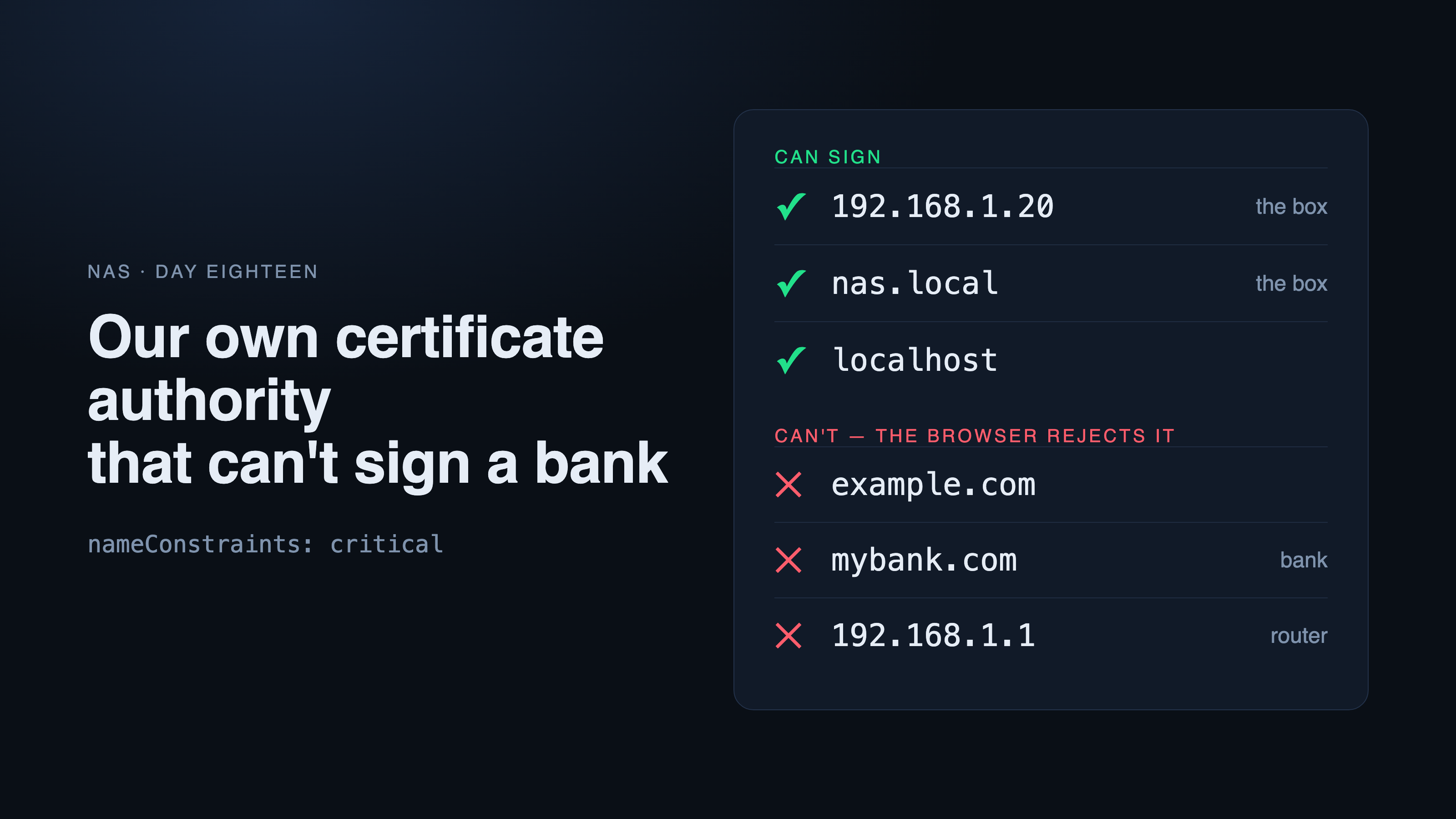
The box got its own authority. The key part is one certificate field people rarely think about: nameConstraints. It lists the only addresses the authority may sign for: the box's address, its hostname if it has one, and localhost. Nothing else.
The field is marked critical: a browser that doesn't understand it must reject the certificate rather than silently accept it. Even if the authority's key leaks, it can't issue a certificate for a bank or for the router next door. A leaked key becomes a problem for one box, not for the whole internet on your phone.
The authority's key lives only on the box, with permissions 600, and only the API can see it. It never goes into the database or the nightly backups.
How it works
The box's API itself issues the authority and the certificate, in Python with the cryptography library, rather than a script on the host. That way all three install modes behave the same: a standalone box, a box next to TrueNAS, and the developer stand.
Issue. Every 6 hours the API checks whether the certificate is fresh. It's issued for 397 days; a new one comes 60 days* before expiry — or right away if the box's name changed.
Pick up. nginx doesn't load the certificate at startup but through a variable: it reads the file on every handshake. Renewal needs no restart, and without a certificate nginx still starts — http and the S3* endpoint keep working.
Device. The panel has a "Secure address" card: a .mobileconfig profile for iPhone and Mac, a .crt file for Android*, the steps and the authority's fingerprint. Both files are served without login: you install them before logging in, and there's no secret in them.
We tried to fool ourselves
A constraint nobody has tested is just a hope. So we took our own authority's key and did exactly what we fear: signed certificates for other people's addresses. OpenSSL signed everything without complaint — an authority can sign anything. The question is what the verifying side says.
| Certificate for | What it is | OpenSSL | macOS |
|---|---|---|---|
| example.com | someone else's site | rejected | rejected |
| 192.168.1.1 | router on the same network | rejected | rejected |
| localhost | the box itself | accepted | accepted |
This run went into the repository as tls-check.sh, together with checks of the profile and https itself: 15 checks, all green. It now runs after any change to this part.
We also checked renewal. We "fast-forwarded" the clock 340 days — a new box certificate was issued and the authority stayed the same. We gave the box a new name — the authority was reissued, otherwise browsers would reject even our own certificate.
Meeting a real Mac
On the stand everything checked out. We shipped a release, the box updated with one button — and the part a stand can't show began.
First surprise: macOS labels the profile in red as Unsigned. It looks alarming, but it's expected: a profile becomes "Verified" only when signed with a certificate Apple already trusts. A home box doesn't have one.
The substitute for a signature is the SHA-256 fingerprint. The panel shows it in the card, and you compare it with what landed in the keychain. We did: it matched to the last character.
The second surprise was more serious. The profile was installed, yet Safari said "This Connection Is Not Private".
This website may be impersonating “192.168.1.20” to steal your personal or financial information. You should go back to the previous page.
We debugged it from the same Mac with two commands. openssl s_client showed the box served the right chain. security verify-cert named the cause: the root of the chain was not trusted.
That step is now in the panel's card. The stand would never have caught it: there, the authority was trusted directly, bypassing the profile.
What's now in the panel
- "Secure address" under Settings → Box: a profile for iPhone and Mac, a certificate for Android, steps for the device you're on, and the authority's fingerprint.
- Over http, the "Install" banner leads to this card — secure address first, home-screen icon second.
- The box certificate renews itself, and tls-check.sh tests the name constraint by attacking ourselves.
Not yet verified: the profile on iPhone, the certificate on Android and pushes in the installed app — more on that in the next entries.