Day sixteen since the first release of NAS, our home storage box. At home there is a box with six disks and TrueNAS. It stored things, but told us nothing: how the disks were, where the space went, whether the copies arrived.
Family photos lived in iCloud, old archives on flash drives, backups of our projects only at cloud providers. We wanted one panel that keeps all of it and says by itself when something is wrong. In two weeks it grew into something we use every day.
Plain Debian, or next to TrueNAS
The target form of NAS is plain Debian on top of an existing ZFS pool. The box serves network shares through its own Samba: people, passwords and permissions live in the panel, not in config files. The pool service starts before Docker: it unlocks the pool with its key, mounts it and only then lets the panel start. Otherwise a panel that came up first would create its data folders on the system disk, and the pool could no longer mount there.
Our own box still lives in the second form, next to TrueNAS. NAS takes neither the pool nor the shares away from it and keeps everything of its own in one dataset: the database, the secrets, the bucket files. TrueNAS unlocks and mounts the pool, and the panel shows the SMB shares read-only: who reads, who writes, who is connected right now. This way you can try NAS without breaking what already works, and move to plain Debian later.
Under the hood of both forms is the same core as our other projects: a panel with roles, pushes, backups, monitoring, deployment. Its own part sits on top: the pool, buckets, the photo library.
S3 buckets
Object storage compatible with S3: a file on disk and a row in the database. Compatibility is checked with real clients: boto3, aws cli, rclone.
Keys carry rights per bucket and prefix, one per device and server. Rights change without reissuing, and immutable buckets refuse to overwrite what is already there, which is what matters for backups.
Photo library
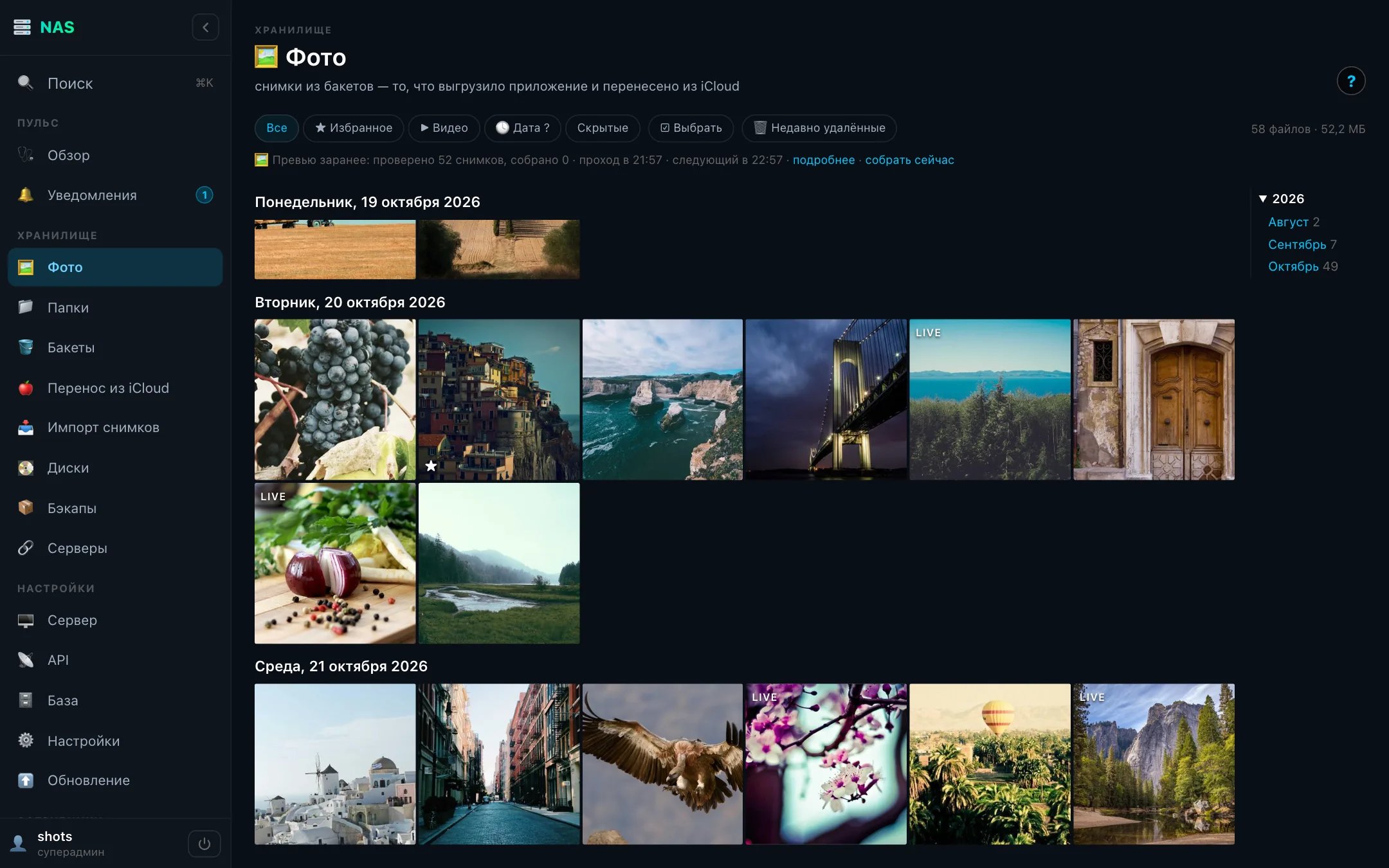
Our own Flutter app with a Rust core uploads iPhone photos in the background. The iCloud transfer took 95,203 files and changed nothing in iCloud.
Old camera photos come in through import: the date from EXIF, duplicates by sha256 across the whole library, RAW and JPEG of one frame glued into one photo. Import never touches the source.

Deleted photos go to "Recently deleted" for 30 days and come back under the same keys. Rotation and crop with straightening never touch the original: the box renders a copy next to it, and going back is one button.
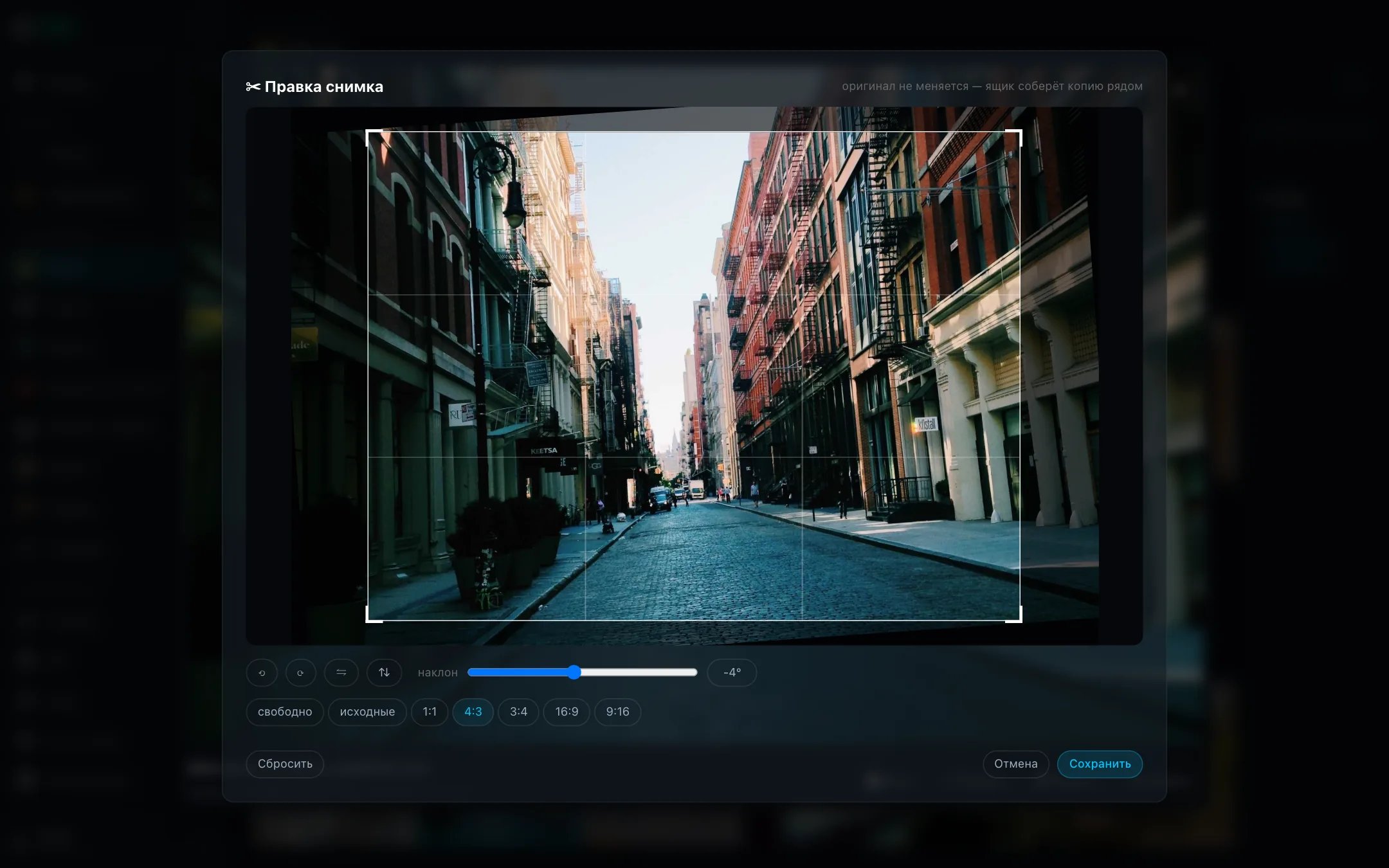
The box builds previews of the whole library in advance, so any month opens on the phone at once. A screen waiting for a picture always goes first: the background job yields its slot.
Disks
Every five minutes a collector snapshots the pool, SMART and what TrueNAS knows. The panel explains in words, gives the command and sends an alert as a push.
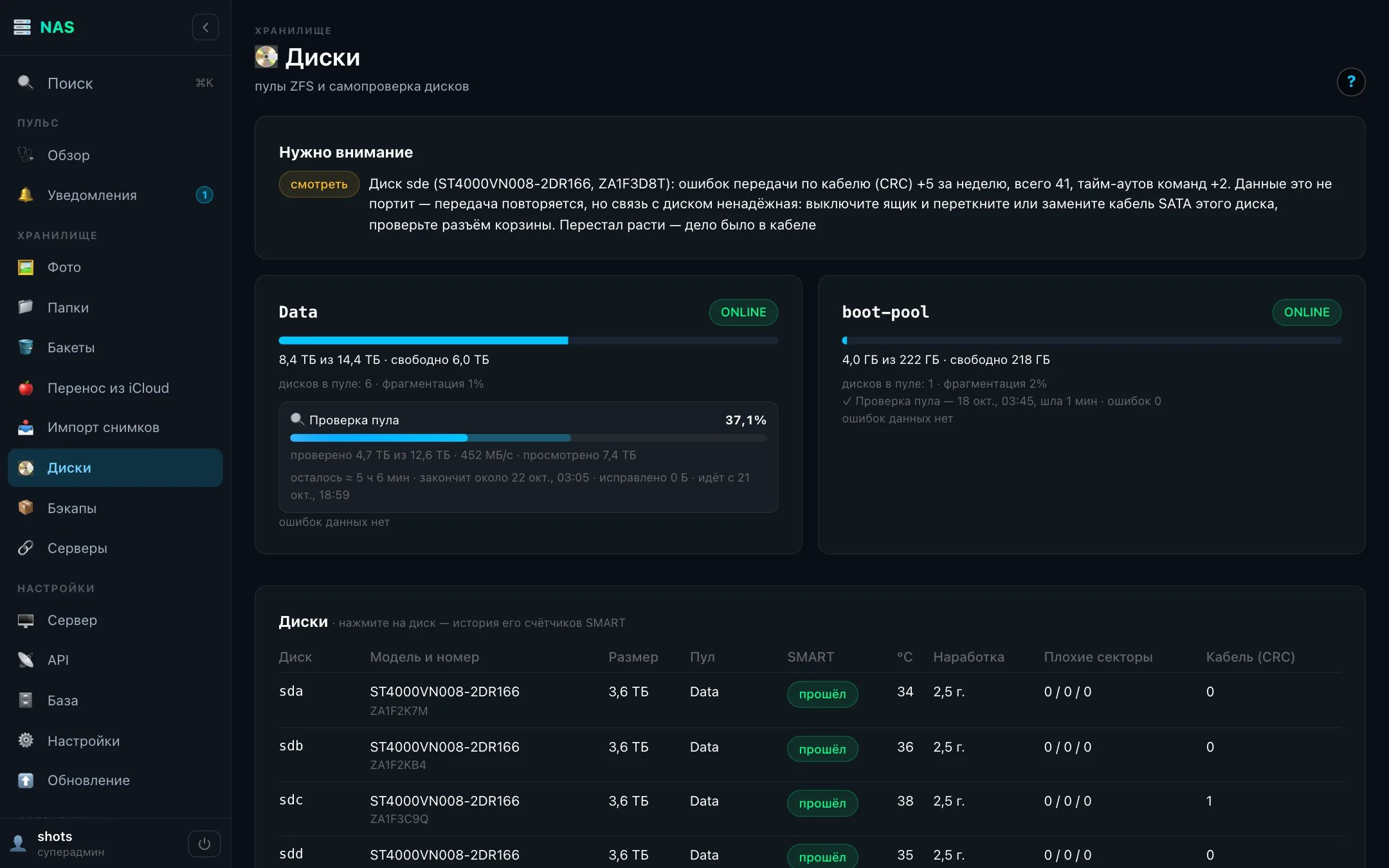
For Seagate disks the box compares SMART hours with the FARM log: a reset counter gives away a disk older than it looks.
A third place for backups
The box sits at home behind NAT, and project servers cannot reach it. So the box opens the tunnel itself: on the server it is a plain S3 address, and the box's key there can only do this forward, with no login and no commands.
Four production projects send encrypted copies here, next to the cloud ones rather than instead of them.
Live
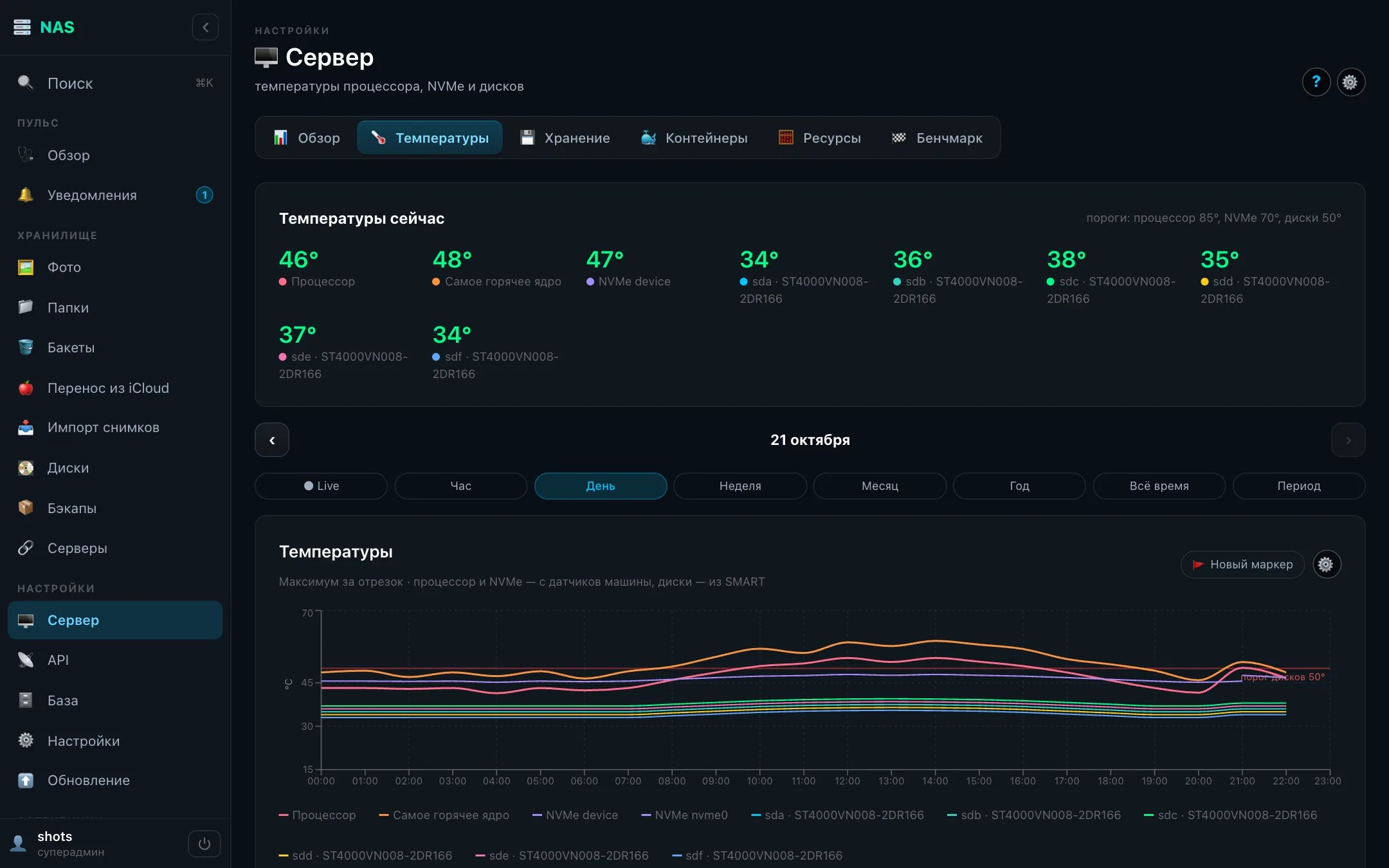
CPU, cores, memory, network, temperatures, disk load: over a socket every 2–3 seconds, with a Live mode on any chart. The pool and the system disk are shown separately.
Updates with one button
The box checks for a new version by itself: every few hours it asks GitHub, and right away when the Update screen is open. When there is one, a 1 appears next to the menu item.
The screen shows what is installed now and what is coming: the changes of every version between the current one and the latest, in words and by section, not as a build number.
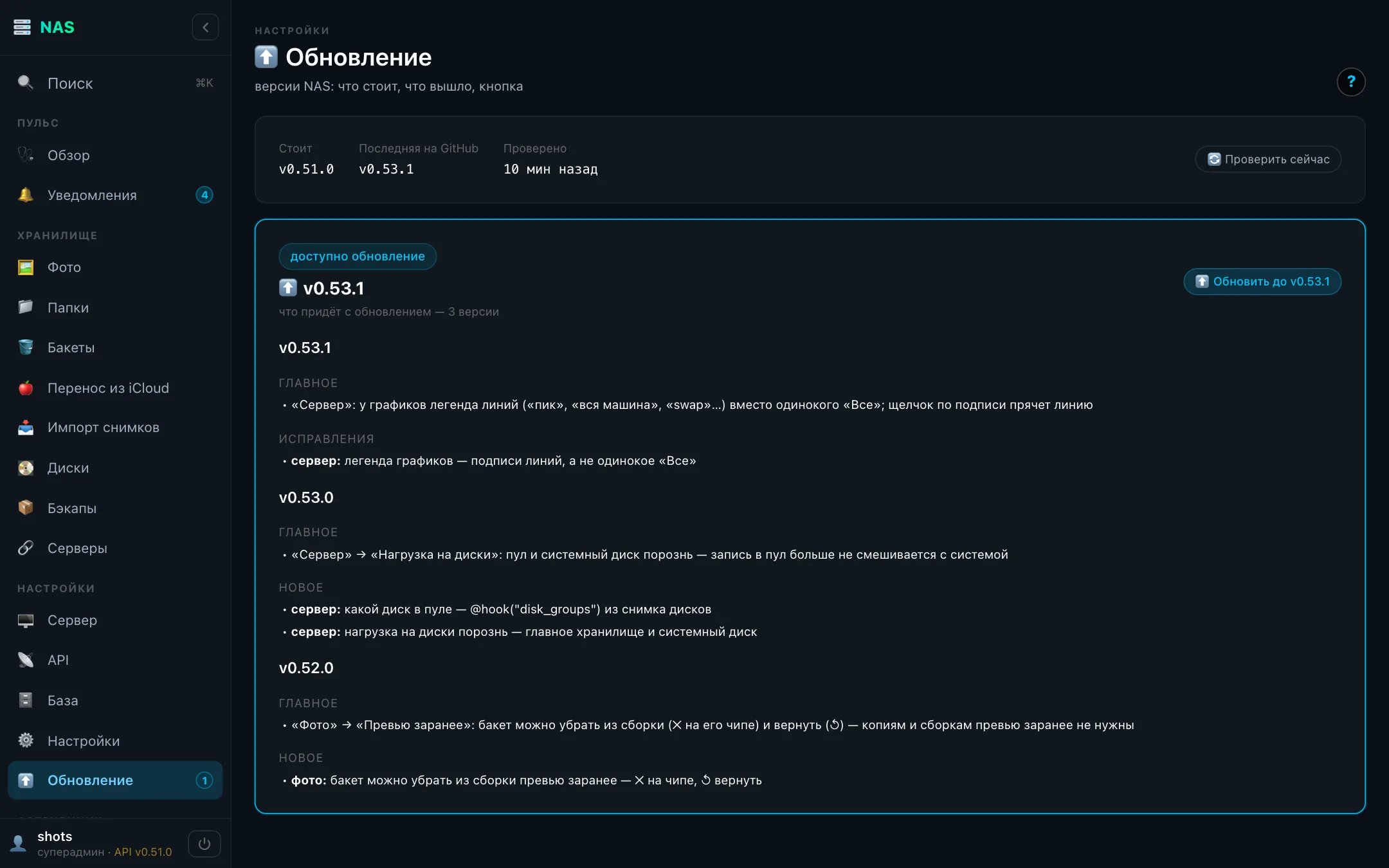
Press it and the panel hands a request to the host, which installs it with the same installer as the first install. Only a released version, and only forward: you cannot roll back to an old one by accident or pick up unfinished work from development. The panel and buckets go away for a minute or two; network shares keep working as before. After the update the same screen shows what arrived.
82 releases in 16 days, each checked on a test stand with real clients. A clean install, reboots and a disk failure were run in a virtual machine with a six-disk RAIDZ2.
What's next
In the next posts, this week's stories in more detail: why a box doing nothing writes over 50 GB a day to its disks, how to move 95 thousand photos out of iCloud without touching anything there, and what to check when a server takes a knee.